


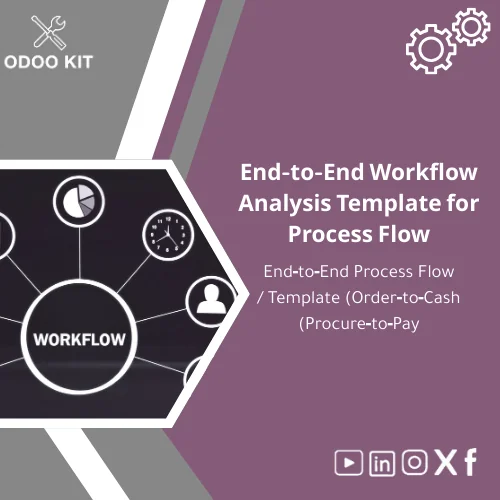
End-to-End Workflow Analysis Template for Process Flow
Original price was: 139.00. 99.00Current price is: 99.00.
A ready-made, practical Workflow Analysis Template to map end-to-end processes (Order‑to‑Cash and Procure‑to‑Pay), accelerate your Odoo ERP implementation, and reduce consultancy time — delivered in Excel and Visio formats with step-by-step guidance and integration notes.
Key benefits & value for your business
This Workflow Analysis Template turns ambiguous processes into clear, actionable documentation that your project team and Odoo integrator can use immediately. Rather than starting process mapping from scratch, you get a structured approach that saves time, reduces errors, and lowers implementation cost.
What you gain
- Faster scoping: Reduce discovery workshops and consultant hours by up to 50% by using ready-made process flows and question checklists.
- Clear handover: Designers and technical implementers get exact mappings from business steps to Odoo modules and data objects.
- Better stakeholder alignment: Visio process maps make it easy for non-technical stakeholders to validate and approve workflows.
- Lower risk: Identify exceptions, approvals and integrations earlier to avoid scope creep during deployment.
Use cases & real-life scenarios
The template is designed for practical, day-to-day use across common SME processes.
Order-to-Cash process map (typical)
Sales receives order → Credit check → Order confirmation → Delivery/Shipping → Invoice → Cash collection. Use the order to cash process map to document each step, roles, data fields, and Odoo module mapping (Sales, Inventory, Accounting).
Procure-to-Pay flow (typical)
Purchase requisition → Supplier quotation → Purchase order → Receipt → Vendor bill → Payment. The procure‑to‑pay worksheets include fields for approval thresholds, receiving checks, and vendor reconciliation notes.
Ad-hoc scenarios
- Pre-deployment workshops to build the requirements document for Odoo KIT packages.
- Rapid process audits to identify bottlenecks before automating in Odoo.
- Integration planning: mapping touchpoints for Power BI dashboards or Google Sheets exports.
Who is this product for?
- Small and medium-sized businesses preparing for Odoo ERP adoption.
- Entrepreneurs and founders who need a structured, low-cost way to document processes.
- Project managers and business analysts who must produce requirements for Odoo integrators.
- Finance and operations teams mapping order-to-cash, procure-to-pay, inventory, and invoicing flows.
If you want a practical, installable end to end workflow template that reduces technical complexity and speeds up implementation, this product was made for you.
How to choose the right template (and which files to use)
We include multiple assets; choose based on audience and stage of the project.
- Workshop stage: Use the Workflow Analysis Excel workbook to capture current state, roles, and data fields during stakeholder interviews.
- Stakeholder approval: Use the Process Flow Visio template to present the target process visually for sign-off.
- Technical handover: Use the Odoo mapping sheet included in the Excel to assign Odoo objects, fields, and suggested configurations.
If you’re unsure which to start with, begin with Order-to-Cash mapping — it typically delivers the quickest ROI and clarifies the core sales and accounting flows needed for an Odoo KIT package.
Quick comparison with typical alternatives
Consider three common approaches: build diagrams from scratch, buy generic diagram packs, or use this specialized template.
- Build from scratch: Time-consuming, inconsistent outputs, higher consulting cost.
- Generic diagram packs: Visual but not Odoo-aware — you still need to translate to system requirements.
- Workflow Analysis Template (this product): Purpose-built for Odoo projects, includes Excel + Visio + Odoo mapping guidance so you skip translation work and reduce risk.
Best practices & tips to get maximum value
- Run short, focused workshops (60–90 minutes) per process area using the Excel workbook as a live capture tool.
- Prioritize Order-to-Cash first to unlock revenue and validate accounting flows early.
- Document exceptions and approval thresholds — these commonly cause scope creep.
- Link Visio diagrams and Excel matrices — use the visual map for approvals and the workbook for technical details.
- Plan for a short iteration after initial Odoo configuration; keep the template updated as the source of truth.
Common mistakes when mapping workflows and how to avoid them
- Over-detailing too early: Start with high-level flows and refine only after stakeholder alignment.
- Ignoring integrations: Map where data leaves the system (e.g., Power BI exports) to avoid surprises in reporting.
- Skipping exception handling: Capture non-standard paths to prevent later rework in Odoo configuration.
- Assuming technical fit: Use our Odoo mapping sheet to confirm steps align with available Odoo modules.
Product specifications
- Formats included: Excel workbook (.xlsx), Visio process flow template (.vsdx), PDF quick-start guide.
- Coverage: Order-to-Cash and Procure-to-Pay end-to-end maps, roles matrix, data fields, approval flows.
- Compatibility: Designed to align with Odoo standard modules (Sales, Inventory, Purchase, Accounting, HR).
- Language: English (editable files for translation).
- Delivery: Instant digital download after purchase.
- Estimated use time: 1–3 days to capture current state in a typical SMB with 1–3 processes.
- Support: Includes a 30-minute onboarding call + email support for installation questions.
FAQ
Do I need technical skills or Visio to use the template?
No advanced technical skills are required. The Excel workbook is usable by business users; Visio is recommended for polished diagrams (we provide a PDF version if you do not have Visio). Our quick-start guide walks non-technical users step-by-step.
Will this template map directly to Odoo fields and modules?
The package includes an Odoo mapping sheet that links process steps to common Odoo modules and suggested data objects. This reduces ambiguity for implementers, though final field-level customization depends on your chosen Odoo configuration.
Can I customize the templates to my company terminology?
Yes. All files are editable. The templates are designed to be adapted quickly to company-specific roles, document names, and approval levels.
What if I need help customizing or integrating the template with Odoo?
OdooKIT offers optional consulting and configuration services. The purchase includes a 30-minute onboarding call; additional paid support packages are available to tailor the template to your processes and connect it with Odoo modules or external tools like Power BI.
Is there a refund or trial?
Because the product is a digital download, refunds are handled case-by-case. We provide preview screenshots and a detailed contents list so you can evaluate before purchase. Contact support for specific refund inquiries.
Ready to accelerate your Odoo implementation?
Purchase a practical Workflow Analysis Template that reduces consultancy hours, clarifies requirements, and speeds up deployment. Includes Excel + Visio + Odoo mapping guidance and a short onboarding call.
Need help deciding which template package fits your situation? Contact OdooKIT support for a fast advisory call before purchase.
Related products
Actual Spending Tracking Template for Budget Management
Analysis Phase Deliverables Checklist Template
Client Readiness Assessment Guide and Template
A practical, ready-to-install Client Readiness Assessment for Odoo implementations: evaluate infrastructure, data readiness, and team capabilities with a clear pre-engagement checklist and editable templates — reduce discovery time, cut implementation risks, and start fast without technical overhead.
Reviews
Clear filtersThere are no reviews yet.