


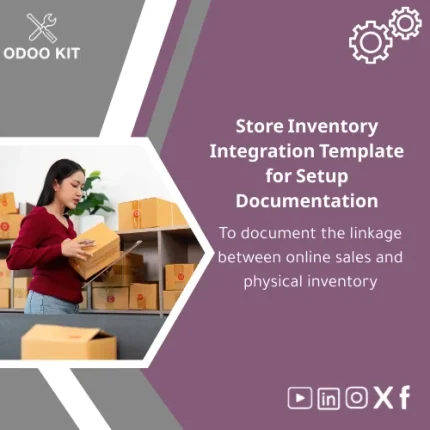
Store Inventory Integration Template for Setup Documentation
Original price was: 179.00. 139.00Current price is: 139.00.
A ready-made, installable document template that maps and documents your store inventory integration — so finance, operations and IT can implement an Odoo-based ecommerce inventory linkage quickly, consistently, and without technical confusion.
Key benefits & value for your business
The store inventory integration template is a documentation-first package that turns integration complexity into repeatable actions. It translates technical setup steps into operational checklists so teams across finance, sales and warehouse can align before any configuration work begins.
What you get (benefits translated from features)
- Faster implementations: Standardized mapping reduces discovery time and accelerates Odoo setup.
- Lower risk: Clear inventory rules and exception handling cut reconciliation errors and stock mismatches.
- Cross-team clarity: Permissions, roles and process flows ensure IT doesn’t configure what operations can’t support.
- Reusable assets: Use the template across stores, marketplaces, and regional warehouses to scale reliably.
- Data-ready for reporting: Integration points include suggested fields for Power BI / Google Workspace analysis.
Use cases & real-life scenarios
Scenario 1 — Single online store + single warehouse
A growing retailer needs to ensure online orders decrement the correct warehouse locations and trigger backorder rules. The template provides the workflow diagram, required Odoo settings, and test cases so the first deployment is completed in days, not weeks.
Scenario 2 — Multi-channel sales (marketplace + web + physical POS)
Controllers and operations managers map sales sources to inventory locations and prioritize fulfillment rules. The ecommerce inventory linkage template explains how to set up source-based routes, reserve stock, and reconcile marketplace fees in the accounting journal.
Scenario 3 — Migration & audit-ready documentation
When migrating to Odoo, auditors and finance require a documented linkage between orders and stock movements. Use the template as part of your migration package to reduce auditor questions and speed approval.
Who is this product for?
Designed for small and medium-sized businesses and entrepreneurs who want to implement Odoo ERP using ready-made, organized packages without technical complexity.
- Operations managers preparing a handover to implementation partners.
- Finance teams that need documented flows for inventory valuation and reconciling sales to stock.
- Consultants delivering quick Odoo deployments for SMB clients.
- Entrepreneurs setting up their first integrated ecommerce + inventory system.
How to choose the right template edition
Templates are tailored by scope rather than “size.” Choose based on your integration complexity:
- Basic: Single website, single warehouse. Includes mapping, checklist, test cases.
- Standard: Multi-channel sales, one or more warehouses, simple fulfillment rules, suggested reporting fields.
- Advanced: Complex routes, batch/Lot tracking, drop-shipping workflows, external reporting integration examples.
If you’re unsure, start with Standard — it covers the majority of SMB setups and is easily customized.
Quick comparison with typical alternatives
Most alternatives are either: (a) generic checklists that leave gaps for Odoo specifics, or (b) full consultancy engagements that are costly and time-consuming. The template sits between them: practical, Odoo-focused documentation you can apply immediately with optional consulting support from OdooKIT.
- Generic spreadsheets — fast but incomplete for Odoo-specific fields and permissions.
- Custom consulting — complete but expensive and slow for small budgets.
- OdooKIT template — balanced: Odoo-specific, affordable, and ready for immediate use or quick customization.
Best practices & tips to get maximum value
- Run the template during discovery workshops with stakeholders from finance, warehouse, and customer service.
- Use the included test cases before going live to validate stock reservation and invoice synchronization.
- Pair the template with a lightweight implementation sprint (1–2 days) rather than a long project to reduce scope creep.
- Connect documented fields to your reporting tools (Power BI, Google Sheets) for automated dashboards.
Common mistakes when documenting integrations — and how to avoid them
- Skipping role alignment: Document who approves price changes and who can adjust stock; the template includes a permissions matrix to prevent surprises.
- Not testing edge cases: The template’s test scenarios include returns, partial shipments, and canceled orders.
- Assuming “one size fits all”: Use the edition guidance above — don’t deploy Basic when you need Advanced features like Lot tracking.
Product specifications
- Product type: Documentation template (digital download)
- Included files: PDF documentation, editable DOCX checklist, CSV sample mapping, sample Odoo import templates
- Supported Odoo versions: Guidance for recent LTS versions (see installation notes)
- Integrations: Suggested fields and examples for Power BI, Google Workspace, and common external connectors
- Delivery: Instant download after purchase; editable and ready to customize
- Support: Optional consult hours available from OdooKIT for configuration or review
- Usage notes: Use with a sandbox Odoo instance for testing before production deployment
Frequently asked questions
Will this template work with my existing Odoo version?
The template focuses on process and mapping; it includes notes for recent Odoo LTS releases. If you have a legacy version, the core workflows remain relevant but you may need small adjustments — OdooKIT offers optional review services to confirm compatibility.
Can I use this with multiple sales channels and marketplaces?
Yes. The Standard and Advanced editions specifically cover multi-channel setups. The template contains examples and fields to map each sales source to inventory rules and reconciliation journals.
How technical is the template — do I need a developer?
The documentation is written to be implementation-friendly: non-technical stakeholders can complete most mapping tasks. A technical resource is recommended for final import scripts, custom routes, or connector adjustments.
What if I need customization after purchase?
OdooKIT provides paid customization and consulting to adapt the template to your exact processes, including integration examples for reporting tools like Power BI and Google Workspace.
Ready to standardize your store inventory integration?
Purchase the template, run the checklists with your team, and hand the documentation to your implementer with confidence. Immediate download—fast setup, minimal technical friction.
Need help choosing an edition? Contact OdooKIT support for a short pre-purchase consultation.
Related products
Change Management Plan Template for Training and Adoption
Client Readiness Assessment Guide and Template
A practical, ready-to-install Client Readiness Assessment for Odoo implementations: evaluate infrastructure, data readiness, and team capabilities with a clear pre-engagement checklist and editable templates — reduce discovery time, cut implementation risks, and start fast without technical overhead.



Reviews
Clear filtersThere are no reviews yet.