


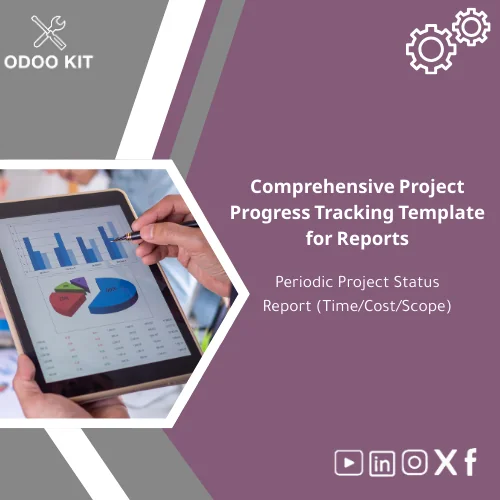
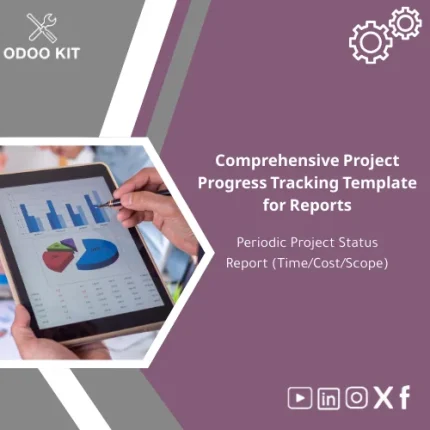
Comprehensive Project Progress Tracking Template for Reports
Original price was: 139.00. 99.00Current price is: 99.00.
A ready-to-install Project Progress Tracking Template that converts daily project data into clear periodic status reports (time, cost, scope) — built to plug into Odoo ERP and deliver fast, accurate progress reporting without technical complexity.
Key benefits & value for buyers
The Project Progress Tracking Template is designed to reduce the time between data capture and actionable insight. It translates the features below into benefits you and your stakeholders will notice immediately.
From features to business outcomes
- Pre-configured Odoo mappings: Save weeks of setup — map tasks, timesheets, expenses and invoices to status reports without custom coding.
- Time & cost variance analysis: Quickly identify drift and present corrective actions to clients or executives.
- Scope-change tracking: Capture approved scope modifications and their cost/time impact in the same report.
- Multiple output formats: Export to XLSX for editing, PDF for stakeholders, or send live data to Power BI / Google Workspace for dashboards and automated deliveries.
- Simple user guides: Step-by-step installation and clear workflows reduce training time — non-technical users can run reports confidently.
Use cases & real-life scenarios
How businesses commonly use this project progress tracking excel template in daily operations:
Scenario: SMB software vendor
Weekly sprints are captured in Odoo timesheets. The template aggregates percent-complete versus planned, flags tasks over budget, and produces a one-page PDF status for client review. Result: fewer disputes and faster approvals.
Scenario: Construction sub-contractor
Cost-to-complete and earned value calculations help project managers prioritize procurement. Consolidated monthly reports show project health to finance and lenders.
Scenario: Professional services firm
Project managers export a client-facing Project Progress Report Template that compares billable hours vs estimate and lists approved scope changes, reducing invoicing questions.
Who is this product for?
Designed specifically for small and medium-sized businesses and entrepreneurs who want to implement Odoo ERP through organized, ready-made packages without technical complexity. Ideal for:
- Project managers and PMOs who need repeatable reporting
- SME finance teams consolidating project costs
- Consultancies and agencies delivering client updates
- Business owners seeking fast digital transformation with minimal IT overhead
How to choose the right package
We offer three practical configurations to match your team size and reporting needs:
- Starter: Basic project progress tracking excel template — single project, PDF/XLSX outputs. Best for freelancers and very small teams.
- Standard: Multi-project support, variance & scope change tracking, Odoo integration mapping. Best for SMBs with regular reporting needs.
- Premium: All Standard features + Power BI connector templates, custom report fields, and 5 hours consulting to align workflows. Best for companies that need a tailored rollout.
Choose Standard if you use Odoo modules for sales, timesheets and invoicing. Choose Premium if you want guided implementation and external dashboarding (Power BI or Google Workspace).
Quick comparison with typical alternatives
When deciding, compare this template with common options:
- Manual Excel reports: Low upfront cost but high time and error overhead. Our template reduces repetitive work and standardizes outputs.
- Custom development: Fully tailored but expensive and slow. The template provides most common needs immediately and is customizable later.
- Off-the-shelf reporting tools: Powerful but often require integration effort. Our package is pre-mapped to Odoo and includes connectors for common tools.
Best practices & tips to get maximum value
- Start with weekly reports for the first month to stabilize data inputs before moving to monthly executive reports.
- Enforce simple timesheet rules (task codes + short descriptions) — clean data yields reliable project progress tracking reports.
- Use the built-in scope-change log to avoid disputes; attach approvals to each change entry in Odoo.
- Enable the Power BI connector only after 2–3 reporting cycles to ensure KPIs are stable.
Common mistakes when buying/using project templates — and how to avoid them
- Mistake: Expecting a perfect fit without small adjustments. Fix: Choose Standard or Premium and use the included guide or consulting hours to align fields with your processes.
- Mistake: Poor data discipline (missing timesheets, late cost entries). Fix: Implement a simple submission deadline and quick validation checks in Odoo.
- Mistake: Skipping export checks. Fix: Test PDF and XLSX exports during the first reporting cycle and adapt templates to stakeholders’ feedback.
Product specifications
- Product type: Project Progress Tracking Template (Excel + PDF layouts + Odoo mapping files)
- Formats included: XLSX, PDF report layouts, Odoo import/mapping JSON, Power BI template (optional)
- Compatibility: Odoo ERP versions (standard modules), Excel 2016+ / Office 365, Google Sheets (import), Power BI Desktop
- Languages: English (UI labels editable)
- Delivery: Instant download — zip package with installation guide and user manual
- Support: Documentation + optional paid consulting for customization and integration
Usage note: Works out-of-the-box for common project setups; small customization may be required for complex multi-currency or multi-company environments.
FAQ
Can I use this template without Odoo?
Yes. The package includes an Excel-based project progress tracking template and PDF layouts that can be used standalone. Odoo mappings and connectors are optional additions to automate data feeds.
How long does it take to have working reports after purchase?
For a basic setup (Standalone Excel): immediate — you can generate reports the same day. For Odoo-integrated setups: expect 1–5 business days depending on data cleanliness and whether you choose Standard or Premium support.
Will this handle cost and earned value (EVM) reporting?
Yes. The template includes cost-to-complete, earned value, and variance analysis sheets. Premium users receive extra configuration support for company-specific EVM policies.
What if our data fields don’t match the template?
Templates are editable. Standard package includes mapping instructions. Premium includes consulting hours to align fields and automations with your processes.
Ready to standardize project reporting?
Deploy a proven Project Progress Tracking Template that integrates with Odoo and reduces reporting time. Includes clear guides and optional integration support so you can focus on delivery, not spreadsheets.
Need help choosing a package or want a demo? Contact our support for a quick consultation — we help SMBs implement reliably and affordably.
Related products
Functional Requirements Template for Project Scope Analysis
A ready-to-use, module-level Functional Requirements Template that helps small and medium-sized businesses and entrepreneurs capture, structure and validate ERP requirements quickly — without technical complexity. Use it to shorten discovery, reduce rework, and align stakeholders before implementation.

Reviews
Clear filtersThere are no reviews yet.