


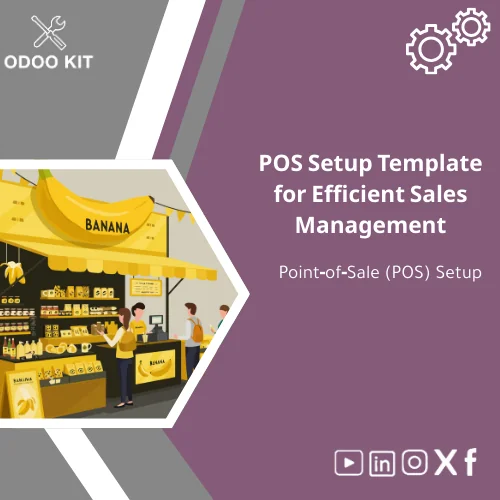
POS Setup Template for Efficient Sales Management
Original price was: 139.00. 99.00Current price is: 99.00.
A ready-made POS setup template that standardizes sales configuration across branches, speeds up POS implementation, and reduces post-launch errors — built for Odoo ERP and designed for small and medium businesses without technical complexity.
Key benefits & value for your business
The POS setup template removes repetitive configuration tasks and delivers a tested, maintainable POS configuration that reduces launch time and operational risk.
What you gain
- Faster deployment: move from purchase to live register in days, not weeks. Use the POS implementation template to automate settings import.
- Consistency across locations: standardized retail POS configuration ensures uniform pricing, taxes, and receipt formats across branches.
- Lower total cost: less consultancy and development time — pay once for a reusable template instead of repeated custom work.
- Operational clarity: a POS setup checklist helps staff validate each step (hardware, payment provider, fiscal documents, cash handling).
- Reporting-ready: integrates with Power BI and Google Workspace for consolidated sales dashboards and monthly closing processes.
Use cases & real-life scenarios
Retail chain opening multiple branches
A fashion retailer used the POS setup template to standardize tax rules, receipt templates, and loyalty point rules across five new stores. Deployment time per store dropped from three days to under two hours for the configuration step.
Single-location restaurant moving from spreadsheets
A small restaurant replaced manual order tracking with a tailored restaurant POS setup. The template included menu categories, table management options, and cashier shifts — enabling accurate daily sales reports and faster kitchen communication.
Seasonal pop-up stores
Entrepreneurs launching pop-up kiosks used the POS setup checklist to ensure payment terminals, pricebooks, and VAT settings were consistent with the central system, avoiding common reconciliation errors.
Who is this product for?
This POS setup template is designed for:
- Small and medium-sized businesses that need an Odoo-based POS without custom development.
- Operations teams and store managers who will configure and maintain registers.
- Franchise owners who must enforce consistent retail POS configuration across locations.
- Accountants and finance teams wanting accurate sales data and easier month-end closing.
How to choose the right package
Templates are offered in tiers. Choose based on scope and technical comfort:
- Starter: Core POS screens, basic payment methods, POS setup checklist — ideal for single stores and kiosks.
- Standard: Starter + multi-register support, receipt templates, integration mappings for Google Workspace.
- Enterprise: Standard + multi-branch replication, Power BI connectors, advanced fiscal and shift management.
If unsure, choose Standard — it covers the majority of retail and restaurant scenarios and can be customized with our advisory support.
Quick comparison with typical alternatives
When evaluating options, consider these trade-offs:
- Custom development: Highly tailored but costly and slower. Our template gives 70–90% of typical needs out-of-the-box at a fraction of the cost.
- Manual configuration: Free but error-prone and hard to replicate across branches. The template includes a POS setup checklist to avoid mistakes.
- Generic off-the-shelf packages: May force you to change operations. Our templates are built for Odoo and designed to adapt to common business rules.
Best practices & tips to get maximum value
- Run a pilot store first: install the template in one register and validate receipts, payments, and reports before replicating.
- Use the POS setup checklist during training to ensure staff follow the same steps each shift.
- Connect your template to Power BI for consolidated analytics — it improves decision speed and stock replenishment cycles.
- Schedule a short advisory session with our consultants to align receipt formats and fiscal rules with local regulations.
Common mistakes when implementing POS and how to avoid them
- Skipping pilot testing: Always validate the configuration with real transactions to catch gaps in taxes or payment flows.
- Not standardizing SKUs and pricebooks: Use consistent product codes to avoid inventory reconciliation problems.
- Ignoring integrations: Failing to link sales to reporting tools can create manual reconciliation work — the template includes connectors for this reason.
- Assuming one-size-fits-all: Use the template as a baseline; small customizations ensure it fits specific operations without adding complexity.
Product specifications
- Type: POS setup template for Odoo ERP
- Includes: configuration files, POS setup checklist, installation guide, and admin user guide
- Supported modules: POS, Sales, Inventory, Accounting (pre-configured), optional HR & Loyalty modules
- Integrations: Power BI connector, Google Workspace export templates, Airtable mapping examples
- Delivery: Immediate download after purchase; installation guide for operations and IT
- Support: Basic email support; optional paid advisory for custom alignment
FAQ
Do I need a developer to install the POS setup template?
No. The template is designed for low-technical teams. The package includes step-by-step installation instructions and a POS setup checklist. For environments with stricter IT policies, our support team or your Odoo partner can complete the installation.
Can I use this template for both restaurant POS setup and retail POS configuration?
Yes. The template includes variants optimized for restaurant flows (orders, tables, kitchen printing) and retail flows (barcode scanning, quick sale modes). Choose the variant that matches your business or combine features as needed.
How do integrations with Power BI and Google Workspace work?
The package includes pre-built data exports and connector mappings. You can push sales summaries and daily cash reports to Power BI for dashboards, or export daily sales to Google Sheets for easy sharing. Full integration may require minimal credentials setup.
What if local fiscal regulations require extra settings?
Fiscal rules vary by country. The template includes common fiscal configuration points and a checklist of items to confirm with your accountant. For country-specific fiscalization, we offer advisory services to adapt the template.
Ready to standardize your POS and go live faster?
Choose the POS setup template that fits your store model, download instantly, and follow the included checklist to complete implementation. If you need help, our consultants can assist with configuration and integration.
Related products
Current Processes Collection Mapping Template for Analysis
Detailed Implementation Plan Template with Gantt Schedule
End-to-End Workflow Analysis Template for Process Flow
Functional Requirements Template for Project Scope Analysis
A ready-to-use, module-level Functional Requirements Template that helps small and medium-sized businesses and entrepreneurs capture, structure and validate ERP requirements quickly — without technical complexity. Use it to shorten discovery, reduce rework, and align stakeholders before implementation.



Reviews
Clear filtersThere are no reviews yet.