


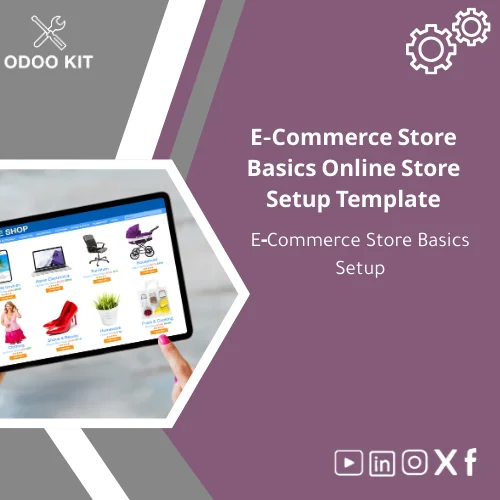
E-Commerce Store Basics Online Store Setup Template
Original price was: 59.00. 49.00Current price is: 49.00.
A ready-made Online Store Setup Template that documents and configures your Odoo e-commerce store—products, pricing rules, payments, shipping, and SEO—so small and medium businesses can launch a functional online storefront quickly without deep technical work.
Key benefits & value for your business
The Online Store Setup Template converts best-practice store configuration into a plug-and-play package. It reduces time-to-launch, lowers implementation risk, and codifies decisions that commonly slow e-commerce projects—pricing rules, shipping strategies, checkout steps, and integrations for reporting.
Translate features into outcomes
- Predefined configuration checklist: Save days of meetings—teams follow the checklist and complete settings in a predictable order.
- Consistency: Standardize product taxonomy, attributes, and SEO fields so catalog updates and marketing campaigns work without extra clean-up.
- Lower technical cost: Designed for administrators—no developer required for initial setup.
- Ready for reporting: Notes and table mappings for Power BI and Google Sheets let you measure sales, conversion, and margins from day one.
Use cases & real-life scenarios
Example 1 — Local retailer launching online
A boutique furniture store uses the template to standardize product dimensions, shipping rules, and furniture-specific attributes (material, weight, assembly). With OdooKIT’s template they published 200 SKUs and configured shipping zones in a weekend, then connected sales reports to Google Sheets for the owner to review weekly.
Example 2 — Digital goods seller
A small software vendor applied the template but skipped physical shipping sections and enabled downloadable products and license key workflow. The template’s payment and tax guidance reduced friction at checkout and improved conversions.
Example 3 — Service-oriented business using products as packages
A training company used the template to set up course pages as products, with variation attributes (date, location, instructor) and integrated Stripe for deposits—avoiding custom development.
Who is this product for?
This Online Store Setup Template is built for small and medium-sized businesses and entrepreneurs who:
- Use or plan to use Odoo ERP and need a practical, low-technical way to launch an online store.
- Want a repeatable ecommerce store setup template to scale multiple storefronts or franchise locations.
- Lack internal developer resources and prefer guided documentation and checklists.
If you are a large enterprise with heavy custom workflows and specialized integrations that require bespoke development, consider a tailored implementation—however, the template still accelerates the discovery phase.
How to choose the right template for your store
Use this short checklist to confirm fit before purchase:
- Do you run Odoo (version compatibility is listed below)? If yes, this template fits.
- Do you sell physical products, digital products, or services? The template includes branches for each—pick the branch that matches your catalog.
- Do you need out-of-the-box reporting connectors? Choose the package with integrations (Power BI / Google Sheets notes) if you rely on external dashboards.
If you are unsure, our support guidance helps map your business to the template before purchase.
Quick comparison with typical alternatives
Compared to fully custom implementations: this template is faster and less expensive but intentionally opinionated. It favors common best-practices over bespoke features.
Compared to generic checklists: this product is Odoo-specific and includes ready-to-fill configuration fields and notes for module settings, reducing guesswork and rework.
Best practices & tips to get maximum value
- Run the template with a sandbox Odoo instance first—test checkout, payments, and shipping flows before going live.
- Populate 10 representative products and test sales processes end-to-end to validate taxes and invoicing.
- Use the reporting integration notes to connect an early dashboard—identify data gaps before the catalog grows.
- Document deviations from the template as “local rules” to keep future maintenance predictable.
Common mistakes when setting up a store and how to avoid them
- Skipping testing: Always run test transactions; the template includes test scenarios.
- Inconsistent product attributes: Use the template taxonomy to avoid mismatched filtering and broken collections.
- Over-customizing early: Start with standard checkout and add custom features only after validating sales behavior.
- Ignoring reporting: Connect reporting early to measure ROI and spot configuration errors fast.
Product specifications
- Product type: Installable Online Store Setup Template and documentation form for Odoo
- Includes: Configuration checklist, store setup documentation form, sample product catalog, payment & shipping settings guide, reporting mapping notes
- Odoo compatibility: Notes for Odoo 15, 16, and 17 (implementation may require minor adjustments per version)
- Format: Downloadable ZIP with PDF guides and CSV sample data; step-by-step setup guide compatible with Odoo admin UI
- Integrations: Guidance for Power BI, Google Workspace (Sheets), and Airtable connections
- Support: 30 days email support and installation guidance; optional paid consultancy for customization
- Delivery: Immediate download after purchase
- Typical implementation time: 1–5 days for basic catalogs; up to 2 weeks for large inventories or complex shipping rules
- Prerequisites: Admin access to Odoo instance and basic familiarity with product management in Odoo
FAQ
Is this template compatible with my Odoo version?
The template contains guidance and export samples for Odoo versions 15–17. Most configuration steps use standard Odoo settings. If your instance is heavily customized, our support can review compatibility and recommend adjustments.
Do I need a developer to install or use the template?
No—this template is designed for administrators and non-technical users. Installation instructions use the Odoo UI and CSV import. Developer help is only needed if you require custom module development or deep UI changes.
What if my business has complex shipping or tax rules?
The template includes standard shipping and tax configuration patterns and notes for more complex scenarios. For region-specific tax complexity or carrier integrations, we offer paid consultancy to extend the template safely.
Can I modify the template after purchase?
Yes—the template is fully editable. You can adapt product attributes, pricing rules, and checkout flow to suit your business. We recommend versioning your changes and keeping a backup of the original template.
Ready to launch your online store?
Purchase the Online Store Setup Template and get a complete, Odoo-specific configuration checklist and documentation package that reduces launch time and implementation cost. Immediate download and step-by-step guidance mean you can start configuring today.
Need help choosing the right package or want a short demo? Contact our team after purchase for configuration tips tailored to your business processes.
Related products
Change Management Plan Template for Training and Adoption

Functional Requirements Template for Project Scope Analysis
A ready-to-use, module-level Functional Requirements Template that helps small and medium-sized businesses and entrepreneurs capture, structure and validate ERP requirements quickly — without technical complexity. Use it to shorten discovery, reduce rework, and align stakeholders before implementation.




Reviews
Clear filtersThere are no reviews yet.