



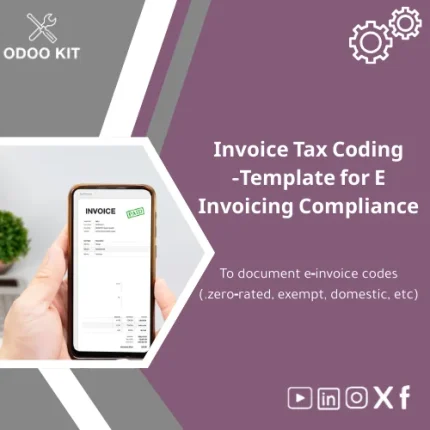
Invoice Tax Coding Template for E-Invoicing Compliance
Original price was: 139.00. 99.00Current price is: 99.00.
A ready-to-install invoice tax coding template that documents and maps e‑invoice VAT codes (zero-rated, exempt, domestic, reverse-charge, etc.) into Odoo quickly — reducing setup time, preventing VAT errors, and making e‑invoicing compliance repeatable without technical expertise.
Key benefits & value for your business
Implementing VAT and e‑invoice tax coding correctly is one of the highest-impact tasks for finance teams — yet it is also a frequent source of errors and delays. This invoice tax coding template converts tax rules into a reproducible mapping file for Odoo, producing measurable advantages:
- Lower risk of VAT errors: Standardized codes for common scenarios reduce misclassification on invoices and tax reports.
- Shorter deployment time: From download to import in a few hours instead of days of manual setup or custom development.
- Clear audit trail: A documented mapping file that auditors and tax advisors can review easily.
- Cost-effective: Avoid expensive consultancy hours for routine tax code configuration; only pay for bespoke adjustments if required.
- Scalable: Update or extend mappings as your product lines, country rules, or tax regimes change.
Use cases & real-life scenarios
1. Launching e‑invoicing in a single country
Finance teams in a small retail company use the template to map domestic VAT, exempt sales, and export codes into Odoo. The import completes in one session and removes weeks of manual configuration.
2. Rapid cross-border setup
A medium-sized distributor expanding to a neighboring market copies the template, updates local tax rates and reverse-charge conditions, and imports the adjusted file — enabling compliant invoices from day one.
3. Audit readiness and documentation
During a tax audit, the CFO delivers the mapping file as evidence of consistent code application across thousands of invoices, simplifying the review and reducing queries.
Who is this product for?
This invoice tax coding template is designed for:
- SMBs and entrepreneurs implementing Odoo without deep technical resources.
- Accounting teams who want a reliable starting point for VAT and e‑invoicing rules.
- Consultants and implementers delivering faster Odoo rollouts to clients.
- Organizations needing a documented tax code mapping for compliance or audit purposes.
How to choose the right template for your company
We provide variations and guidance so you select what matches your complexity:
- Basic template — For single-country operations with standard VAT types (domestic, exempt, export).
- Standard template — Adds reverse-charge, special rates, and common exceptions suitable for multi-product SMEs.
- Advanced template — Includes extended fields, multi-jurisdiction examples, and integration notes for external reporting tools.
Choose based on the number of tax rules you need to map (simple: <10, moderate: 10–30, complex: 30+). If in doubt, start with Standard — it’s the fastest way to be operational and can be extended later.
Quick comparison with typical alternatives
- Manual spreadsheet mapping: Cheap but error-prone and lacks Odoo import structure; higher long-term cost due to rework.
- Custom development: Fully tailored but expensive and slow; best when regulations are unique or highly complex.
- Ready template (this product): Balanced approach — low cost, fast implementation, documented and Odoo-ready.
Best practices & tips to get maximum value
- Review local VAT rules and mark exceptions before importing — the template includes commented examples to guide you.
- Start in a testing database: import the file to confirm mappings and run a few sample invoices before going live.
- Keep a versioned copy of the mapping file in your finance folder (Google Drive or internal repository) for audit trail.
- Use the included Power BI / Google Sheets export tips to validate totals after import.
- Schedule a short validation session with your tax advisor; the template reduces their workload and consultation time.
Common mistakes when setting up tax codes (and how to avoid them)
- Missing exception rules: Ensure exempt and zero-rated transactions are separately listed — the template has explicit rows for these.
- Wrong field mapping: Use the provided field mapping guide to match columns to Odoo import fields.
- Skipping testing: Always import to a staging database and validate with example invoices.
- No documentation: Keep the mapping file and a brief note on why each code was chosen; it saves time during audits.
Product specifications
- Formats included: CSV, XLSX, and XML snippets for Odoo import.
- Compatible with: Odoo 13, 14, 15, 16 (import field notes for each version included).
- Language: English (structured for easy translation to Arabic or other languages).
- Contents: Predefined code categories (zero-rated, exempt, domestic, export, reverse-charge), example mappings, field mapping guide, and a 12‑page quick-start user guide.
- Estimated setup time: 1–3 hours for Basic/Standard; 4–8 hours for Advanced with testing.
- Support: 30 days email support + optional paid consultancy for custom mapping and country-specific rules.
Frequently asked questions
Is this template compatible with my Odoo version?
Yes — the package includes import notes for Odoo versions 13 through 16. Field names differ slightly by release; each template variant indicates the correct column header and import sequence.
Will this cover all local VAT rules for my country?
The template covers common VAT scenarios and provides a foundation for most SMEs. Country‑specific corner cases may require small adjustments; we offer consultancy to extend mappings for unique regulations.
What support is included after purchase?
Included: a 12‑page quick-start guide and 30 days of email support for installation questions. Optional paid services are available if you prefer assisted import or custom mapping.
Can I integrate the template outputs with reporting tools?
Yes — the template is designed to export cleanly to Excel/Google Sheets and to be compatible with Power BI and other reporting connectors. Integration notes and example queries are included.
Ready to document your e‑invoice VAT codes and speed up your Odoo rollout?
Start with a tested, auditor-friendly mapping template and reduce time-to-compliance. The package includes importable files, a step-by-step guide, and short-term support so you can implement with confidence.
Need help choosing Basic/Standard/Advanced? Contact our team after purchase or use the included guide to pick the right starting point.






Reviews
Clear filtersThere are no reviews yet.