


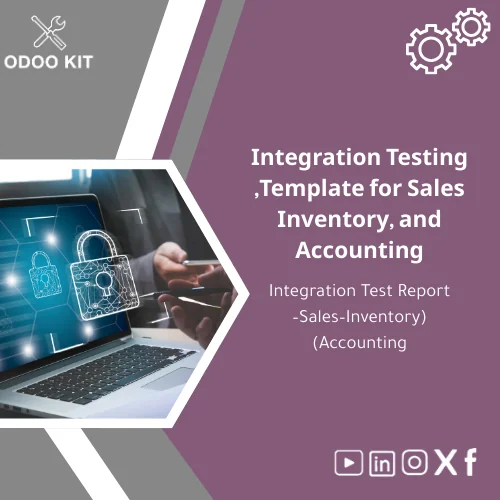
Integration Testing Template for Sales, Inventory, and Accounting
Original price was: 139.00. 99.00Current price is: 99.00.
A ready-to-use Integration Testing Template designed to document and validate end-to-end flows between Sales, Inventory, and Accounting in Odoo. Reduce deployment risk, speed up go-live, and produce audit-ready test reports without technical complexity.
Key benefits & value for your business
The main objective of this Integration Testing Template is to make system integration testing approachable and productive for small and medium-sized businesses. Instead of building test documentation from scratch, you get a structured integration test report form that translates directly to real outcomes:
- Faster validation cycles: Pre-built test scenarios cover 80% of standard Sales–Inventory–Accounting flows so you can start QA immediately.
- Lower implementation risk: Clear pass/fail criteria and evidence fields reduce the chance of post-go-live reconciliation problems.
- Audit-ready reporting: Produce traceable, formatted reports your finance and compliance teams will accept.
- Non-technical ownership: Business users can execute and record tests without developer assistance.
- Cost-effective: Save consultant hours by standardizing documentation and reducing rework.
Use cases & real-life scenarios
Scenario: New Odoo implementation (SMB retail)
A 25-person retail company implementing Odoo uses the template to validate order-to-cash: create a quotation, confirm sales order, validate stock pick, generate invoice, and record payment. Each step captures Odoo record IDs, screenshots, journal entries, and pass/fail remarks for the finance manager.
Scenario: Custom module or third-party integration
When integrating a courier API or payment gateway, the integration test report form records expected vs actual messages, reconciliation steps, and rollback instructions — reducing ambiguity between developers and operations.
Scenario: Periodic controls and audits
Use the template for quarterly reconciliation checks between Sales, Inventory valuation, and Accounting journals. The standardized format makes month-end review faster and consistent.
Who is this product for?
This Integration Testing Template is tailored for:
- Small and medium-sized businesses implementing Odoo ERP without a large internal QA team.
- Entrepreneurs and operations managers who need an easy-to-follow testing process.
- Odoo consultants and implementers who want a repeatable integration test deliverable for clients.
- Accountants and auditors who require structured evidence of transactional integrity.
How to choose the right package or variant
The template is offered in adaptable formats; choose based on your team and workflow:
- Basic (single file): One editable spreadsheet and one document — suitable for small teams or pilot projects.
- Standard (multi-format): Word/Google Docs + Excel/Sheets + sample PDF report — recommended for most SMBs.
- Pro (with mapping guides): Includes mapping to Odoo fields, Power BI quick connector notes, and example evidence screenshots — for projects with external reporting or custom fields.
If you are unsure which fits, choose Standard for the best balance of usability and completeness.
Quick comparison with typical alternatives
Compared with building test cases internally or hiring custom QA documentation, the Integration Testing Template delivers:
- Faster delivery: Ready-to-use templates vs multi-week documentation sprints.
- Lower cost: One-time affordable purchase vs consultant billable hours.
- Business-focused: Designed for non-technical teams, unlike developer-centric test plans.
If you need a highly customized QA framework for a complex, multi-country rollout, a hybrid approach (template + advisory support) is recommended.
Best practices & tips to get maximum value
- Run tests in a staging environment that mirrors production data volume.
- Assign a business owner (sales or accounting) to sign off each test group.
- Keep evidence files (screenshots, export files, journal entries) attached to each test line in the report.
- Use the mapping guide to tag test steps with Odoo record links to speed troubleshooting.
- Schedule a short handover session with your implementer to adapt the template to your custom fields.
Common mistakes when buying or using integration templates — and how to avoid them
- Skipping evidence capture: Always attach screenshots or exports; claims without evidence are hard to verify.
- Testing only happy paths: Include negative tests (e.g., stock shortages, payment failures) to ensure robust behavior.
- Using production for tests: Use staging to avoid data pollution and reconciliation problems.
- Not involving finance early: Engage accounting in test design to ensure journal behavior meets reporting needs.
Product specifications
- Format: Editable Word/Google Doc, Excel/Google Sheet, plus PDF sample report.
- Scope: Sales → Delivery → Invoice → Payment flows, inventory valuation checks, journal reconciliation steps.
- Supported Odoo versions: Designed for recent stable Odoo releases; mapping guide includes common field names and locations.
- Deliverables: Template files, mapping guide, example evidence bundle, short user guide.
- Languages: English (editable to other languages by buyer).
- Estimated setup time: 30–90 minutes to adapt and start testing for most SMBs.
- Recommended users: QA testers, accountants, Odoo implementers.
- Support: Optional advisory support and customization available via OdooKIT services.
Frequently asked questions
Is this Integration Testing Template compatible with my Odoo customization?
In what formats will I receive the template?
Can non-technical staff run the tests?
What if I need help customizing the template?
Ready to reduce deployment risk and accelerate your Odoo go-live?
Purchase the Integration Testing Template now and get a structured, audit-ready integration test report form designed specifically for Sales, Inventory, and Accounting flows in Odoo. Start validating end-to-end processes in hours, not weeks.
Includes editable templates and a concise user guide. Optional customization and support available from OdooKIT.
Related products
Detailed Implementation Plan Template with Gantt Schedule
End-to-End Workflow Analysis Template for Process Flow
Master Project Plan Template for Successful Project Management
Odoo Gap Analysis Template for Requirements and Project Scope

Project Meeting Report Template for Effective Meeting Minutes

Project Objectives Template with Success Metrics Guide

Signed Project Charter Template for Effective Planning
Timeline Analysis Plan Template for Workplan & Weekly Tracking
A ready-to-use Timeline Analysis Plan Template that turns requirements gathering and project analysis into an organized weekly workplan. Built with Odoo-ready structure and exportable formats so SMEs and entrepreneurs can implement a project analysis schedule quickly — no deep technical setup required.
Reviews
Clear filtersThere are no reviews yet.