


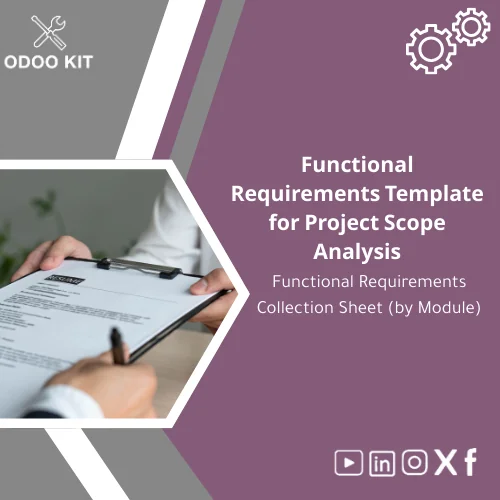
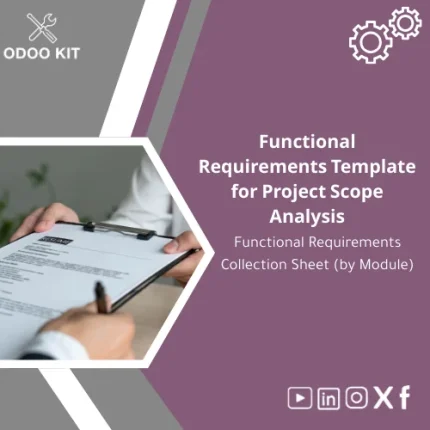
Functional Requirements Template for Project Scope Analysis
Original price was: 139.00. 99.00Current price is: 99.00.
A ready-to-use, module-level Functional Requirements Template that helps small and medium-sized businesses and entrepreneurs capture, structure and validate ERP requirements quickly — without technical complexity. Use it to shorten discovery, reduce rework, and align stakeholders before implementation.
Key benefits & value for buyers
This Functional Requirements Template is a practical tool that turns vague requests and scattered notes into a clear, actionable functional requirements document template suitable for ERP projects. It focuses on value you can measure:
- Faster kick-off: Reduce discovery workshops from days to hours using pre-built checklists and question sets per module.
- Lower implementation risk: Capture acceptance criteria and business rules up-front to prevent scope creep and rework.
- Better alignment: Standardized fields for stakeholders (users, managers, IT) ensure everyone reviews the same artefacts.
- Cost control: Clear scope and module-level requirements help vendors and consultants provide accurate project estimates.
- Reusable asset: Use the template across multiple projects — it becomes part of your internal project toolkit.
Use cases & real-life scenarios
Scenario: Small distributor preparing for Odoo implementation
The operations manager uses the template to document Sales and Inventory flows: user roles, required reports, inventory valuation method, barcode scanning needs, and integration with Excel-based price lists. The result: accurate scope and one fewer week of discovery work.
Scenario: Entrepreneur migrating from spreadsheets
Using the functional requirements checklist, the business owner captures key processes (invoicing, payment terms, stock re-order rules) and produces a concise document to share with an Odoo integrator. The integrator returns a fixed-price proposal with clear deliverables.
Scenario: Consultant standardizing client intake
Consultants save time by using the module templates during initial client meetings — capturing integrations (Power BI dashboards), data migration needs, and acceptance tests in one place.
Who is this product for?
This template is designed for:
- Small and medium-sized businesses planning an Odoo ERP rollout.
- Entrepreneurs replacing manual processes with a scalable ERP system.
- Business analysts and consultants who need a repeatable functional requirements checklist.
- Internal project teams that want a low-friction way to collect module-level requirements before hiring implementers.
If you don’t have an in-house technical team, this template still works: the language is business-focused and each section includes guidance notes for non-technical users.
How to choose the right version
We provide lightweight choices so you only buy what you need:
- Starter Template: Core modules and essential fields — best for first-time implementers with a small scope.
- Standard Template: Extended modules, reporting fields, and integration questions — ideal for growing SMEs with multiple departments.
- Complete Template: Comprehensive coverage including advanced workflows, custom report definitions, and migration checklists — recommended when you expect customizations or complex integrations.
Choose Starter if you want a fast minimal scope; choose Standard for most medium-sized businesses; choose Complete when you need thorough documentation to support fixed-price integrations or audits.
Quick comparison with typical alternatives
Common alternatives include free generic checklists, ad-hoc interview notes, or full consulting discovery services. Here’s how this template compares:
- Vs. free generic checklists: More detailed and structured by ERP module, with fields for acceptance criteria and integrations.
- Vs. ad-hoc notes: Standardized format reduces missed requirements and miscommunication between stakeholders and implementers.
- Vs. full consulting discovery: Lower cost and faster start — and it can be complemented by our optional consulting services if you need deeper analysis.
Best practices & tips to get maximum value
- Run a short workshop (60–90 minutes) per module using the template as the agenda — captures requirements quickly and creates stakeholder buy-in.
- Complete acceptance criteria at the same time as the functional description — it prevents vague “works as expected” outcomes.
- Use the integration checklist to list actual files, APIs, and dashboards your business uses today — this speeds up technical scoping.
- Store completed templates in your project repository (e.g., Google Drive or Airtable) and link them to project tasks for traceability.
Common mistakes when gathering functional requirements — and how to avoid them
- Too vague descriptions: Avoid one-line requirements. Use the template’s guided fields (why, when, expected result) to be specific.
- Skipping acceptance criteria: Always define acceptance tests for each requirement to avoid rework.
- No stakeholder sign-off: Assign a reviewer role in the template so decisions are recorded and approved.
- Forgetting integrations & reports: Use the dedicated integration and reporting sections to capture external dependencies early.
Product specifications
- Title: Functional Requirements Collection Sheet (by Module)
- Format: Downloadable editable file (Excel / Google Sheets template) and printable PDF
- Coverage: Sales, Purchases, Inventory, Accounting, HR, Reports, Integrations, Data Migration
- Sections included: Module overview, Actors & roles, User stories, Business rules, UI/screens, Reports, Integration checklist, Data migration mapping, Acceptance criteria, Priority
- Delivery: Immediate digital download after purchase; includes a simple user guide
- Customisation: Optional consulting and template tailoring available (extra service)
- Compatibility notes: Designed to feed directly into Odoo project scoping and estimations
FAQ
Can I use this template if I don’t know Odoo?
Yes. The template is business-language focused and does not require Odoo technical knowledge. It captures the business processes and desired outcomes that implementers use to configure Odoo.
What file formats are included and can I edit them?
The package includes an editable Excel file and a Google Sheets version, plus a printable PDF. Both editable formats let you adapt fields, add columns, and keep version history.
Will this replace a consultant?
It does not replace expert consultants but significantly reduces discovery time and cost. Many customers use the template first and then hire consultants with a clearer scope and fixed-price proposals.
Is there support if I need help filling the template?
Yes. OdooKIT offers optional advisory sessions to help you complete the template or review outputs before sending them to implementers. This is a paid add-on available at checkout.
How does this help with budgeting and timelines?
By breaking requirements down by module and priority, the template enables implementers to estimate effort more accurately, which improves budgeting and scheduling precision.
Ready to standardize your ERP scope and reduce project risk?
Purchase the Functional Requirements Template and start capturing module-level requirements in a way Odoo implementers expect. Immediate download, editable formats, and clear guidance included.
Not sure which version fits your project? Contact OdooKIT support for a quick recommendation before purchase.
Related products
Change Management Template for Impact Analysis Log

Comprehensive Risk Management Template with Risk Register
End-to-End Workflow Analysis Template for Process Flow
Project Objectives Template with Success Metrics Guide

Project Scope Definition Template for In-Scope & Out-of-Scope Analysis
Requirements Discovery Sessions Template for Workshop Outcomes
Stakeholder Analysis Template for Effective Project Planning
Timeline Analysis Plan Template for Workplan & Weekly Tracking
A ready-to-use Timeline Analysis Plan Template that turns requirements gathering and project analysis into an organized weekly workplan. Built with Odoo-ready structure and exportable formats so SMEs and entrepreneurs can implement a project analysis schedule quickly — no deep technical setup required.
Reviews
Clear filtersThere are no reviews yet.