


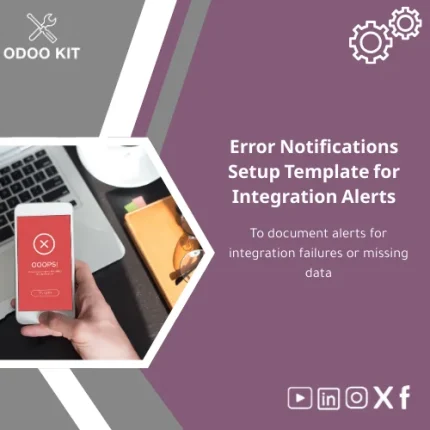
Error Notifications Setup Template for Integration Alerts
Original price was: 139.00. 99.00Current price is: 99.00.
A ready-to-install Error Notifications Setup Template that documents and standardizes alerts for integration failures and missing data in Odoo — so your team acts faster, reduces downtime, and keeps reporting reliable without technical complexity.
Key benefits & value for your business
The Error Notifications Setup Template translates technical alerts into clear, actionable items for operational teams. Instead of scattered emails or ambiguous logs, you get a repeatable process that reduces mean time to resolution (MTTR) and prevents revenue impact from data synchronization problems.
What you gain
- Faster response: automatic routing to the right owner with priority flags and escalation steps.
- Consistent documentation: a system incident log template that standardizes entries for audits and post-mortems.
- Improved reporting: ready fields and tags that feed Power BI or Google Workspace reports for trend analysis.
- Lower implementation cost: packaged templates avoid custom development and long consulting hours.
Use cases & real-life scenarios
Daily operations — Sales & Inventory
An ecommerce company receives stock updates from a supplier API. When updates fail, the template triggers an integration failure notification to the inventory manager, logs the incident with missing SKU data, and adds a follow-up task for manual reconciliation.
Finance — Invoicing & reconciliation
If invoice lines fail to import from a billing gateway, the template sends an email alert to finance, captures the error message in a structured log, and creates a ticket with suggested next steps for accountants — preventing delayed payments and reporting errors.
IT Ops & support
IT receives aggregated incident logs for recurring errors (e.g., webhook timeouts). Use the logs to prioritize fixes, measure incident frequency, and create SLA-based escalation rules.
Who is this product for?
This template was built for small and medium-sized businesses, startups, and independent entrepreneurs using Odoo who need a low-friction way to manage integration errors and missing data. No deep technical team required — business users and operational owners can configure and use the template.
- SMBs that rely on third-party connectors (payment gateways, suppliers, marketplaces).
- Companies that need structured incident logs for finance and compliance.
- Teams that prefer packaged solutions to custom development to save time and budget.
How to choose the right package
The template is offered in simple packages so you pick what matches your operational scale:
- Starter: basic email alert setup form + incident log fields — for single-team operations.
- Standard: add multi-channel notifications and escalation rules — for cross-functional teams.
- Pro: includes prebuilt connectors to Power BI and sample automation for SLAs and reporting.
Choose Starter if you want immediate, low-cost protection. Upgrade to Standard or Pro when you need integrations and advanced reporting.
Quick comparison with typical alternatives
| Option | Time to value | Cost | Customization |
|---|---|---|---|
| Error Notifications Setup Template | Minutes–Hours | Low | Configurable, documented |
| Custom development | Weeks–Months | High | Fully custom but costly |
| Spreadsheets & email chains | Immediate | Very low | Low — error prone |
The template sits between fragile manual processes and expensive custom builds — it gives repeatability, auditability, and integration readiness at a fraction of the cost.
Best practices & tips to get maximum value
- Map owners before you deploy: assign roles for each alert type so notifications go to the right person immediately.
- Tag errors consistently: use the provided tags (integration, missing-data, timeout) so reports group incidents correctly.
- Integrate with dashboards: connect the incident log to Power BI or Google Sheets to monitor trends and SLA breaches.
- Run a short pilot: test the template on one connector for two weeks, refine messages and escalation thresholds, then rollout.
Common mistakes when buying/using similar products and how to avoid them
- Buying a too-complex solution: Avoid costly custom builds when a template covers 80% of needs. Start with packaged templates and extend later.
- Ignoring documentation: Skipping the included guides increases setup time. Follow the step-by-step email alert setup form instructions.
- No owner assigned: Alerts without an owner become noise. Use the ownership fields in the template during setup.
Product specifications
- Product type: Odoo-ready template package (installation module + usage guide)
- Included items: Incident log template, email alert setup form, notification templates, escalation rules, guide PDF
- Compatibility: Odoo 14, 15, 16 (configuration notes included for each)
- Integrations: Out-of-the-box mapping for Power BI, Google Workspace, and CSV export for Airtable
- Estimated install time: 15–60 minutes (Starter); 1–3 hours (Standard/Pro) depending on connectors
- Language: English (UI labels and guide). Custom language packs available via consulting
- Support: Setup guide included; optional paid support and customization available
FAQ
Do I need a developer to install the template?
No. The package is built for quick install through Odoo’s module installer and includes step-by-step instructions. Basic system admin access is required; optional consulting is available if you prefer hands-off deployment.
Can the template send alerts to Slack or Teams instead of email?
Yes. The Standard and Pro packages include channel notification mappings. The Starter package focuses on email but can be extended with simple configuration or a small connector.
Will this work with my existing integrations and connectors?
The template listens for common error events and provides guidance to map custom connector error codes. Pro packages include sample mappings for common gateways; our support team can help map bespoke connectors.
What if we need additional fields or custom workflows?
The template is configurable: add fields, modify escalation rules, or change message templates without starting from scratch. For more complex changes, optional customization services are available.
Ready to reduce downtime and standardize incident handling?
Install the Error Notifications Setup Template and get immediate control over integration errors and missing data. The package includes installable Odoo modules, ready email alert setup forms, and a system incident log template — all designed for quick deployment and measurable impact.
Buy this template now
Instant download & installation guide included. Optional support available.



Reviews
Clear filtersThere are no reviews yet.