


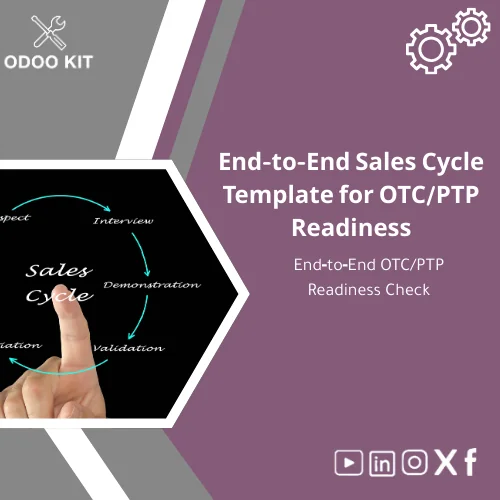
End-to-End Sales Cycle Template for OTC/PTP Readiness
Original price was: 139.00. 99.00Current price is: 99.00.
A ready-to-install End-to-End sales cycle template that lets SMEs implement a consistent OTC (Order-to-Cash) and PTP (Procure-to-Pay) workflow in Odoo quickly — align sales, purchasing and inventory controls without technical complexity.
Key benefits & value for your business
The End-to-End sales cycle template transforms fragmented sales and purchasing activities into a single, auditable process inside Odoo. This template was built to reduce onboarding time, lower implementation cost, and enforce standard controls immediately after installation.
What you get — features translated into business outcomes
- Pre-mapped workflows: Eliminate guesswork — sales orders, delivery, invoices and supplier bills follow a tested sequence that reduces reconciliation issues.
- Operational checklist: Use the end to end sales checklist for quick OTC PTP readiness assessments — ideal for audits or pre-sales reviews.
- Role-based approvals: Reduce payment and delivery errors with configurable approval steps matched to your organization chart.
- Inventory & costing alignment: Ensure stock moves and COGS post correctly, reducing month-end adjustments.
- Reporting templates: Prebuilt reports and exports ready for Power BI or Google Sheets for immediate KPI monitoring.
Use cases & real-life scenarios
Below are practical ways companies use this sales cycle setup template.
Scenario 1 — Distributor with frequent orders
A regional distributor installs the template to standardize order confirmations, warehouse picks and automatic invoice generation. Result: average order-to-cash time drops by 25% in the first month and disputes decrease because prices and discounts are enforced at order entry.
Scenario 2 — Manufacturer with purchase dependencies
A small manufacturer uses the OTC PTP readiness template to connect sales forecasts with lean purchasing rules, so supplier purchase orders are triggered only when stock falls below safety levels. This reduces excess inventory and improves supplier lead-time monitoring.
Scenario 3 — Service company needing simple controls
A services firm uses the sales and purchasing workflow to manage subcontractor invoices tied to project milestones and automate client billing once milestones are accepted.
Who is this product for?
The template is ideal for small and medium-sized businesses and entrepreneurs who:
- Are implementing Odoo or expanding Odoo to cover sales and procurement.
- Need a sales cycle setup template to standardize processes without hiring developers.
- Want to run a quick internal OTC PTP readiness check before auditors or investors visit.
- Prefer configuration-based solutions with optional advisory support.
If you already have a highly customized ERP with bespoke integrations, this template still helps as a migration baseline — but you may need consultancy to map complex custom fields.
How to choose the right package
We offer the template in tiers to match scale and complexity. Choose based on transaction volume and your desire for customization:
- Starter: Core OTC/PTP flows, checklist, and basic reports — best for micro and small businesses starting with Odoo.
- Business: Adds role-based approvals, multi-warehouse support, and integration templates — best for growing SMEs.
- Enterprise-ready: Includes advanced reporting templates, Power BI connectors, and optional consultancy hours for process alignment.
Need help selecting a tier? Contact support for a short discovery call — we will recommend the minimal package that covers your immediate needs and scales later.
Quick comparison with typical alternatives
Compared with building processes from scratch or commissioning a custom module, this template offers:
- Faster deployment: Installable templates cut implementation time from months to days.
- Lower cost: Less consulting and development work upfront.
- Predictable scope: Standardized flows reduce scope creep and long-term maintenance.
If you require a fully bespoke UX or heavy third‑party integrations, a custom project may still be necessary — but using this template as a baseline reduces custom hours and cost.
Best practices & tips to get maximum value
- Run the readiness checklist first: Use the included end to end sales checklist to identify gaps before you switch live operations.
- Map users to roles: Set up role-based permissions during the first day to avoid accidental approvals or data edits.
- Start with a pilot: Deploy the template for one sales team or warehouse for 2–4 weeks, then scale with adjustments.
- Use reporting templates: Connect prebuilt exports to Power BI or Google Sheets to validate KPIs quickly.
- Schedule a short consultancy session: Our advisors can align the template to your invoice numbering, tax rules, and approval matrix in a single call.
Common mistakes when adopting sales and purchasing templates — and how to avoid them
- Skipping the checklist: Deploying live without a readiness check causes missing links between sales and purchase flows. Fix: run the included readiness template first.
- Over-customizing early: Heavy customizations before validating the process create maintenance overhead. Fix: pilot the standard template, then add tailored changes.
- Ignoring training: New processes need short role-based training. Fix: use the simple user guides included and schedule a 60–90 minute walkthrough for your team.
Product specifications
- Product type: Installable Odoo template package (OTC & PTP workflows)
- Contents: Workflow templates, end to end sales checklist, approval rules, inventory mapping, reporting templates
- Compatible with: Odoo Community and Enterprise editions (version compatibility details in product brief)
- Integration options: Power BI, Google Workspace, Airtable (connectors and templates provided)
- Delivery: Digital download + installation guide + optional consultancy
- Support: Email support and optional paid consultancy for process alignment
Frequently asked questions
How quickly can I deploy the End-to-End sales cycle template?
Typical deployment for the Starter tier is 1–3 business days for installation and basic configuration. Full alignment with your accounts and approval matrix usually takes an extra 1–2 weeks if you opt for consultancy.
Will this template work with my current chart of accounts and taxes?
Yes — the template is configuration-based and maps to your chart of accounts and tax rules. We include simple mapping guides, and our consultants can assist with any complex local tax settings.
Do I need a developer to use this template?
No. The package is designed for low technical complexity. Installation steps and a clear user guide are included. Optional consultancy is available if you prefer hands-on assistance.
Can I customize approval rules and notifications?
Yes — approval rules and notifications are configurable via Odoo settings. The Business and Enterprise tiers include templates and examples to help you set up common approval matrices quickly.
Ready to standardize your sales and purchasing workflow?
Install a practical End-to-End sales cycle template that reduces errors, speeds cash collection, and brings purchasing under control. Start with the checklist, run a pilot, and scale securely.
Need help choosing a tier or want a demo? Contact OdooKIT support for a short discovery call before purchase.
Related products
Change Management Template for Impact Analysis Log
Comprehensive Project Progress Tracking Template for Reports

Functional Requirements Template for Project Scope Analysis
A ready-to-use, module-level Functional Requirements Template that helps small and medium-sized businesses and entrepreneurs capture, structure and validate ERP requirements quickly — without technical complexity. Use it to shorten discovery, reduce rework, and align stakeholders before implementation.




Reviews
Clear filtersThere are no reviews yet.