


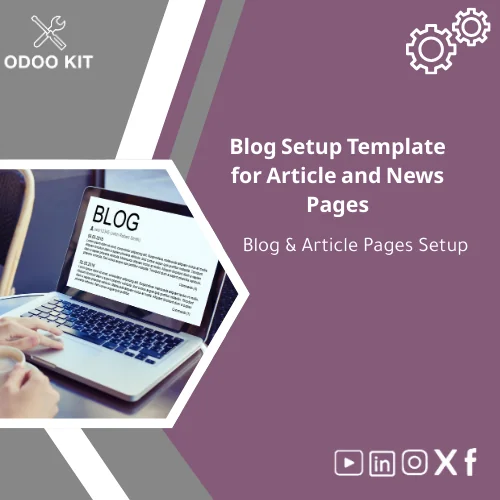
Blog Setup Template for Article and News Pages
Original price was: 69.00. 49.00Current price is: 49.00.
A ready-to-install blog setup template that documents and configures article and news pages for Odoo sites — fast implementation, consistent content structure, and clear handover for marketing teams without technical overhead.
Key benefits & value for your business
The Blog setup template converts the usual setup tasks — forms, SEO defaults, category taxonomy, author templates, and analytics wiring — into a structured package that reduces setup time and prevents repeated mistakes. Below are the benefits translated into business outcomes:
- Reduced time to publish: Implement a standardized article page in hours; marketing can publish without waiting for developers.
- Consistent branding & UX: Built-in templates ensure every article follows your brand rules and on-page SEO structure.
- Improved SEO & discoverability: Template includes meta tag patterns, canonical rules, and schema markup guidance for better search performance.
- Reliable reporting: Pre-built connectors and exportable fields make it simple to feed article metrics to Power BI or Google Sheets for daily reports.
- Lower implementation cost: Ready-made structure avoids custom development and long consulting hours.
Use cases & real-life scenarios
Scenario 1 — Small agency launching client blogs
A small marketing agency uses the template to onboard five clients in a month. Each client receives the same article pages setup: categories, author bios, featured image rules, and analytics hooks. The agency reduces per-site setup from 4+ hours to about 45 minutes.
Scenario 2 — Retail SME centralizes product announcements
A retail business uses the blog and news setup template to publish product launch articles and press releases, aligning internal approval checkpoints and creating automatic tags for seasonal campaigns that feed into inventory planning reports.
Scenario 3 — Entrepreneur documenting company updates
A founder without technical skills follows the blog implementation checklist to add article pages, set up author roles, and connect the site to Google Analytics and a weekly newsletter export — all without changing code.
Who is this product for?
This blog setup template is designed for:
- Small and medium-sized businesses implementing Odoo ERP who need integrated content pages.
- Marketing teams that want a documented, repeatable article pages setup.
- Agencies and freelancers delivering Odoo-based websites to multiple clients.
- Entrepreneurs who prefer low-technical, fast-to-execute solutions to publish company news and articles.
If you want a reliable, low-cost route to standardize blog and news pages inside Odoo without custom development, this template is a fit.
How to choose the right package
We offer versions tailored to the scale of your project. Evaluate based on the number of sites, required integrations, and who will manage content.
- Starter: Single-site, basic fields, SEO defaults, and checklist — best for one website and solo marketers.
- Standard: Multi-site taxonomy, author workflows, Google Workspace integration and basic Power BI templates — suitable for growing teams.
- Advanced: Full connectors (Power BI, Airtable), extended reporting templates, and customizable article approval workflows — recommended for agencies or multi-site enterprises.
If you are unsure which package fits, choose Standard for a balanced setup; our consultants can recommend final adjustments.
Quick comparison with typical alternatives
Many teams either build blog pages from scratch or rely on generic website templates that lack Odoo-specific workflow and reporting. Compared to those options:
- Faster than custom builds — no development backlog.
- More Odoo-integrated than generic CMS templates — connects to your ERP records and reports.
- Lower long-term cost than custom solutions — standardized fields avoid hidden integration effort.
Best practices & tips to get the maximum value
- Map your editorial workflow before installation — know roles, approval steps, and publishing cadence.
- Use the included SEO patterns and test meta fields for your top 20 pages first.
- Enable analytics connectors at installation to capture baseline metrics from day one.
- Train at least two users on the article pages setup form so publishing isn’t a single-person bottleneck.
- Use tagging and categories consistently — the template’s taxonomy is designed to power reporting and campaign linking.
Common mistakes when buying or using blog templates — and how to avoid them
- Buying without a checklist: Avoid ad-hoc installs. Use the included blog implementation checklist to confirm fields, SEO, and analytics.
- Skipping integrations: If you plan to report on blog performance, set up connectors during installation — retrofitting is costlier.
- Over-customizing immediately: Start with the base template to validate processes before making large design changes.
- Assuming one-size-fits-all: Choose the package that matches your scale; consult our support to adapt the template to your content model.
Product specifications
- Product type: Odoo blog and article pages setup template
- Compatibility: Odoo versions 14 to 18 (upgrade guidance included)
- Included items: Installation guide, blog implementation checklist, article pages setup form, SEO patterns, schema markup samples, author & category templates
- Integrations: Power BI, Google Workspace, Airtable connectors (templates included)
- Estimated install time: 30–90 minutes for standard installs; 1–3 hours when integrating BI connectors
- Delivery: Downloadable package + user guide + optional paid consultation for customization
- Support: Installation notes and email support for first 14 days; paid support plans available
- Languages: English (documentation); localization support available on request
Frequently asked questions
Can I install the template without developer help?
Yes. The package is designed for non-technical users with step-by-step installation instructions and a blog implementation checklist. If you prefer, we also offer a paid installation service.
Does the template affect existing content or themes?
The template configures Odoo blog fields and page structures and is non-destructive. It adds structured templates and SEO defaults; it does not overwrite existing articles unless you choose to apply changes to them.
Which analytics tools can I connect?
Built-in connectors and templates are provided for Power BI, Google Workspace (Sheets/Analytics), and Airtable. Custom connectors can be delivered as part of an integration service.
What if my Odoo version is different?
The template includes guidance for Odoo 14–18. If you use an earlier or a very custom Odoo instance, contact our team for a compatibility check or upgrade recommendations.
Ready to standardize your article and news pages?
Implement a consistent blog structure inside Odoo today and reduce publishing friction across your team. The package includes installation guidance, a checklist, and integration templates so you’ll see measurable benefits quickly.
Need help selecting the right package or want a quick demo? Contact our team after purchase for optional consultancy and implementation support.
Related products
Change Management Plan Template for Training and Adoption

Comprehensive Risk Management Template with Risk Register
Detailed Implementation Plan Template with Gantt Schedule
Master Project Plan Template for Successful Project Management
MoSCoW Prioritization Matrix Template for Project Planning

Odoo Gap Analysis Template for Requirements and Project Scope

Project Scope Definition Template for In-Scope & Out-of-Scope Analysis
Timeline Analysis Plan Template for Workplan & Weekly Tracking
A ready-to-use Timeline Analysis Plan Template that turns requirements gathering and project analysis into an organized weekly workplan. Built with Odoo-ready structure and exportable formats so SMEs and entrepreneurs can implement a project analysis schedule quickly — no deep technical setup required.
Reviews
Clear filtersThere are no reviews yet.