


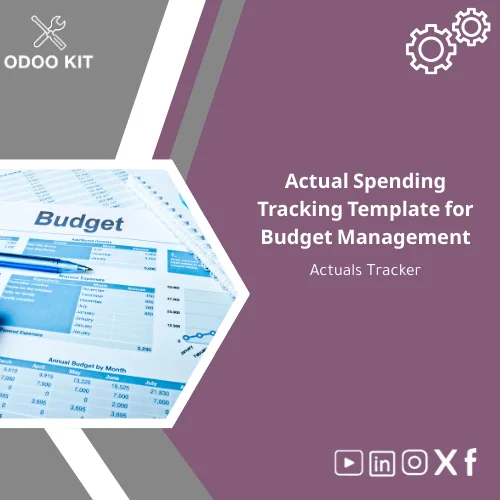
Actual Spending Tracking Template for Budget Management
Original price was: 59.00. 49.00Current price is: 49.00.
A ready-to-use Actual Spending Tracking Template (Excel) that lets SMBs and entrepreneurs monitor real costs against planned budgets, identify variances fast, and sync results with Odoo ERP or reporting tools — without technical setup or long deployments.
Key benefits & value for the buyer
The Actual Spending Tracking Template is designed to convert raw transactions into decision-ready information. It translates common accounting and project details into:
- Faster situational awareness: See where actuals diverge from budget at the department, project, and company levels in one view.
- Reduced errors: Built-in validation and standardized categories reduce reconciliation effort when importing to Odoo.
- Actionable alerts: Conditional formatting and variance thresholds point managers to exceptions that require attention.
- Immediate ROI: Time saved on manual comparisons and ad-hoc reporting — start making corrective decisions faster.
- Low technical barrier: No coding or complex setup; includes step-by-step guides and Odoo mapping notes for fast adoption.
Use cases & real-life scenarios
Monthly finance close
Finance teams use the template to reconcile departmental budgets with monthly expenditure. The tracker highlights variances for accruals and helps prepare variance explanations for management meetings.
Project budget tracking sheet
Project managers keep an eye on committed vs actual spending per task and supplier. The template’s project-level sheet allows forecasting remaining budgets and flagging overruns early.
Small business cash control
Owners and accountants for SMBs use the actual spending tracker excel file to compare cash outflows against planned budgets, improving vendor payment timing and cashflow decisions.
Who is this product for?
This template is perfect for small and medium-sized businesses and entrepreneurs who plan to implement Odoo ERP using ready-made packages but need a simple, reliable way to track actual spending right away. Specific segments:
- SMB finance teams preparing to migrate to Odoo — want consistent historical actuals.
- Project-based businesses needing a project budget tracking sheet before full ERP rollout.
- Consultants and bookkeepers who deliver quick budget vs actual reports to clients.
- Startup founders who need immediate clarity on spend without building custom reports.
How to choose the right version
The package includes three template variants. Choose based on scope and complexity:
- Basic Actuals Tracker: One-sheet monthly budget vs actual template for small teams and single-entity companies.
- Departmental Ledger: Multi-sheet setup with department roll-ups and monthly trends — best for companies with several cost centers.
- Project Budget Tracking Sheet (Pro): Designed for project-based accounting with committed costs, milestones and earned value columns; recommended for construction, marketing agencies, and professional services.
If you plan to import data into Odoo, choose the Departmental or Project Pro version for easier field mapping and cleaner imports.
Quick comparison with typical alternatives
Consider these trade-offs when choosing between this template, custom development, or raw spreadsheets:
- Custom ERP reports: More powerful but costly and time-consuming. Our template provides immediate coverage during the ERP project phase.
- Ad-hoc spreadsheets: Quick but error-prone and inconsistent. This template enforces structure and reduces reconciliation work.
- Third-party tools: May offer automation but require subscriptions and integrations. The template is a low-cost, offline-first option with integration paths to BI tools.
Best practices & tips to get maximum value
- Standardize account and cost center names before importing—this reduces mapping issues when syncing with Odoo.
- Use the conditional formatting thresholds to create a short list of exceptions for weekly review.
- Export monthly actuals as CSV and import into Odoo or Power BI to consolidate across systems.
- Keep a “Change Log” sheet to track manual adjustments so audits are transparent.
- Combine the tracker with Odoo KIT accounting templates for faster ERP alignment.
Common mistakes when buying or using similar templates — and how to avoid them
- Mistake: Assuming one sheet fits all. Fix: Pick the Departmental or Project version if you have multiple cost centers.
- Mistake: Not validating categories before import. Fix: Use the included mapping guide and sample import file.
- Mistake: Over-relying on manual updates. Fix: Schedule monthly exports from your accounting system and use the template as the reconciliation layer.
Product specifications
- Product type: Digital Excel template (Actuals Tracker)
- Formats included: .xlsx, .csv export templates
- Compatibility: Microsoft Excel 2016+, Excel for Microsoft 365, Google Sheets (importable)
- Sheets included: Overview dashboard, Monthly ledger, Department roll-ups, Project tracking, Mapping & import guide, Change log
- Integrations: Export-ready for Odoo import, Power BI / Google Data Studio / Airtable connectors (instructions included)
- Language: English (editable)
- Delivery: Instant download after purchase; includes PDF quick-start guide
- Support: 30 days email support + optional paid consulting for Odoo integration
- License: Single-company commercial use (details in download)
Frequently asked questions
Can I import the template data into Odoo ERP?
Yes. The package contains a mapping guide and CSV export templates designed to match common Odoo fields. For faster onboarding, use the Departmental or Project versions and follow the step-by-step import instructions. OdooKIT also offers paid assistance if you prefer us to handle mapping.
Is this suitable as a project budget tracking sheet for multiple projects?
The Project Budget Tracking Sheet (Pro) variant supports multiple projects, committed costs, and milestone-level tracking. It includes filters and roll-ups to view project-level or portfolio-level spend.
What if I don’t use Excel (I use Google Sheets)?
You can import the .xlsx file into Google Sheets. Some advanced Excel-only features may behave slightly differently; we include a compatibility note and recommended adjustments for Google Sheets.
How do you handle security and confidentiality of financial data?
This is a local template — no cloud storage is used by default. Any support or consulting that requires access to your data is conducted under a mutual NDA upon request.
Ready to track actuals with confidence?
Get the Actual Spending Tracking Template and stop losing time reconciling spreadsheets. The template bridges the gap between current finance processes and your Odoo ERP rollout — fast, low-cost, and practical.
Buy this template now
Download details & sample
Includes instant download, quick-start guide, and 30 days email support. Optional Odoo integration services available.
Related products
Change Management Template for Impact Analysis Log
Comprehensive Communication Plan Template for Project Management
Comprehensive Project Progress Tracking Template for Reports

Comprehensive Risk Management Template with Risk Register
Odoo Gap Analysis Template for Requirements and Project Scope
Resource Plan Template for Roles and Effort Estimation
Timeline Analysis Plan Template for Workplan & Weekly Tracking
A ready-to-use Timeline Analysis Plan Template that turns requirements gathering and project analysis into an organized weekly workplan. Built with Odoo-ready structure and exportable formats so SMEs and entrepreneurs can implement a project analysis schedule quickly — no deep technical setup required.
Reviews
Clear filtersThere are no reviews yet.