


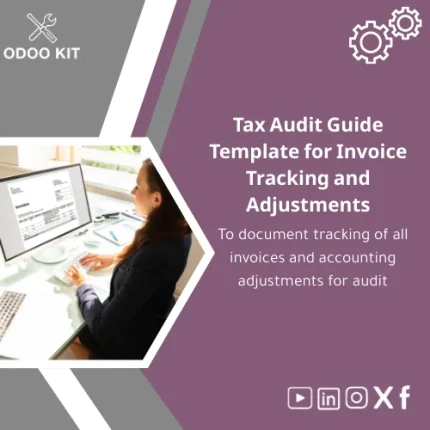
Tax Audit Guide Template for Invoice Tracking and Adjustments
Original price was: 139.00. 99.00Current price is: 99.00.
A ready-to-use, structured tax audit guide template that documents invoice trails, VAT calculations and accounting adjustments — designed for fast deployment with Odoo ERP and minimal technical setup.
Key benefits & value for the buyer
This tax audit guide template translates accounting records and Odoo exports into a consistent, audit-ready format. It focuses on outcomes: faster auditor queries resolution, clearer audit trails, fewer manual adjustments and predictable review times. Below are the main buyer-focused benefits.
Reduce audit preparation time
Standardized worksheets and step-by-step instructions eliminate repeated ad-hoc reconciliation tasks. Your finance team gets an organized checklist and export-ready tables that auditors can inspect immediately.
Lower implementation complexity
Designed to work with Odoo CSV/Excel exports and includes mapping suggestions for common Odoo accounting fields. You don’t need a developer to start — import templates and a clear setup guide are included.
Improve compliance and traceability
Each worksheet includes reference fields for invoice numbers, tax bases, adjustment reasons and authorization stamps — essential for VAT audit workpaper template needs and local tax authority queries.
Use cases & real-life scenarios
Practical examples show how the tax audit guide template is used daily by small finance teams.
- Monthly VAT close: Export Odoo invoices to the “VAT Reconciliation” sheet to automatically flag missing tax codes and produce the VAT summary for filing.
- Pre-audit checklist: Run the tax audit checklist excel to verify invoice completeness, matching POs and delivery notes before an external audit.
- Audit response pack: Use the “Adjustment Log” to explain manual journal entries, linking each adjustment to supporting docs and user approvals.
- Integration with reporting: Feed the template outputs into Power BI for trend analysis or into Google Sheets for collaborative review with external accountants.
Who is this product for?
The template is tailored to small and medium-sized businesses, finance managers, in-house accountants and entrepreneurs who use or plan to use Odoo ERP. It’s also suitable for consultants preparing clients for tax audits without heavy custom development.
Suitable job roles
- Finance managers handling VAT and compliance.
- Accountants responsible for month-end and audit packs.
- Business owners who need a structured audit trail without technical overhead.
How to choose the right package
The template is offered in logical packages depending on the size and complexity of your operations:
- Basic: Core invoice tracking and VAT reconciliation sheets — ideal for micro and small businesses with simple sales/purchase flows.
- Standard: Adds adjustment logs, mapping templates for Odoo exports, and a pre-audit checklist — recommended for growing SMEs.
- Pro: Includes integration scripts for Power BI, a user guide for Odoo import mapping, and 1-hour consulting to align the template with your chart of accounts — for companies with multi-entity or mixed VAT regimes.
Choose based on transaction volume and whether you need integration support. For uncertainty, the Standard package is the lowest-risk starting point.
Quick comparison with typical alternatives
When evaluating options, buyers typically consider manual spreadsheets, fully custom developments, or off-the-shelf ERP modules. This template occupies the middle ground:
- Vs. manual spreadsheets: More structured, includes audit-focused fields and Odoo mappings — fewer errors and less rework.
- Vs. custom development: Faster and much lower cost; you trade some bespoke automation for immediate deployability.
- Vs. full ERP add-ons: Lightweight and audit-focused — not a replacement for a full compliance module, but a practical first step to audit readiness.
Best practices & tips to get maximum value
- Export your Odoo invoices monthly and import into the template — do this before month-end close.
- Use the adjustment log for every manual journal: record who authorized it and attach supporting documents.
- Map Odoo tax codes to the template’s tax code column once and reuse the mapping for consistent reports.
- Schedule a quarterly review with an external accountant and share the template output to reduce auditor questions.
Common mistakes when buying or using similar templates — and how to avoid them
- Buying the wrong scope: Avoid purchasing a “one-size” file; choose Basic/Standard/Pro based on transaction complexity.
- Skipping mapping: Not mapping Odoo fields causes inconsistent results — use the included mapping guide.
- Not keeping support documents: The template links adjustments to evidence — keep PDFs or scans attached for each line.
Product specifications
- Format: Excel (.xlsx) with separate sheets for Invoice Register, VAT Reconciliation, Adjustment Log, and Audit Checklist.
- Odoo compatibility: Designed for easy import/export with Odoo accounting exports (CSV/Excel). Includes mapping examples for common Odoo fields.
- Integrations: Export-ready for Power BI and Google Sheets; recommended templates for Airtable linkage included.
- Delivery: Instant download after purchase with a concise user guide (PDF).
- Support: Email support and optional paid consulting (setup & mapping) available.
- Language: English (template fields can be renamed to match local language).
- License: Single-company use; commercial use options available for multi-entity customers.
FAQ
Is this template compatible with my Odoo version?
Yes — the template consumes standard invoice exports (CSV/Excel). We provide field-mapping guidance for common Odoo versions. If your export format differs, the Standard or Pro package includes mapping assistance to align fields.
Can I customize the sheets to match local tax rules?
Absolutely. The template is editable Excel; column labels and formulas can be adjusted. For hands-on help, choose the Pro package or request a short consulting session to customize formulas and local VAT rows.
What happens if I need help after purchase?
OdooKIT provides email support with the purchase and offers paid setup packages (one-off or hourly) to integrate the template with your Odoo instance and reporting tools.
Is there a refund policy?
Because this is a digital download, refunds are handled on a case-by-case basis. If the template does not meet the described deliverables, contact support within 7 days for resolution or a possible refund.
Ready to simplify your next audit?
Deploy a structured tax audit guide template today and transform scattered invoice data into an auditor-friendly pack. Fast to deploy, low-cost, and aligned with Odoo workflows — ideal as a first compliance step.
Need a quick consultation to pick the right package? Contact OdooKIT support after purchase or choose the Pro package for guided setup.
Related products
Change Management Plan Template for Training and Adoption
Change Management Template for Impact Analysis Log

Functional Requirements Template for Project Scope Analysis
A ready-to-use, module-level Functional Requirements Template that helps small and medium-sized businesses and entrepreneurs capture, structure and validate ERP requirements quickly — without technical complexity. Use it to shorten discovery, reduce rework, and align stakeholders before implementation.


Reviews
Clear filtersThere are no reviews yet.