


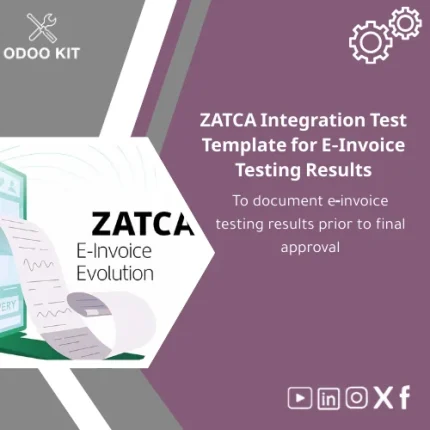
ZATCA Integration Test Template for E-Invoice Testing Results
Original price was: 139.00. 99.00Current price is: 99.00.
A ready-to-use, structured test form to document ZATCA e‑invoicing integration results before final approval — built for Odoo ERP implementers, finance teams and IT partners who want compliance without the technical hassle.
Key benefits & value for the buyer
This ZATCA integration test template transforms scattered, manual testing records into a single, auditable document. Designed for practical compliance, it reduces time-to-approval and minimizes rework during the final validation phase.
What you gain immediately
- Faster approvals: Standardized evidence reduces back-and-forth with auditors and ZATCA verification teams.
- Lower implementation cost: Use a ready-made template instead of building test artifacts from scratch.
- Clear accountability: Assigned fields for tester, date/time, environment, test ID and outcome make sign-off straightforward.
- Integration-friendly reports: Exportable to CSV/PDF and compatible with Power BI, Google Workspace and Airtable for consolidated reporting.
Use cases & real-life scenarios
1. Finance team preparing final compliance package
A finance manager uses the template after completing sample e-invoice runs. The form documents invoice XML samples, response codes, timestamps and reconciliation notes. The resulting PDF is attached to the compliance submission.
2. IT partner performing integration testing
An implementation consultant runs the Odoo e-invoicing module, logs each endpoint response in the template, and marks tests as passed/failed with remediation notes. Developers close issues faster because each test links to a specific log entry.
3. Small business without in-house devs
An SME owner hires a third-party implementer. The template frames the acceptance criteria and removes ambiguity, enabling a reliable go/no-go decision without technical oversight.
Who is this product for?
Designed for small and medium-sized businesses, accounting teams, and Odoo implementation partners who need a straightforward way to document ZATCA e-invoice integration testing results. Suitable for:
- Finance managers preparing regulatory submissions.
- IT teams and consultants validating API integrations.
- Consultants delivering turnkey Odoo packages who need repeatable compliance artifacts.
How to choose the right package
This is a template product, but you should consider three practical choices depending on scope:
- Basic template: Simple checklist and printable report — best if you already have a developer or lightweight testing needs.
- Standard (recommended): Adds prefilled example entries, Odoo import-ready file, and mapping notes — ideal for typical SME implementations.
- Pro compliance pack: Includes integration notes, Power BI report template, and 1-hour consultancy to adapt the template to your workflows — choose if you expect multiple testing cycles or need bespoke mapping.
If you are unsure which fits your situation, choose Standard. OdooKIT offers consultancy to align the template with your process and reduce wasted time.
Quick comparison with typical alternatives
When teams build their own test artifacts they face hidden costs: inconsistent fields, missing evidence, and longer audit cycles. This template is:
- Faster than creating spreadsheets from scratch.
- More consistent than ad-hoc documents emailed between teams.
- Lower risk than custom-developed solutions that require ongoing maintenance.
Best practices & tips to get maximum value
- Use the template from your first test cycle — early documentation catches defects sooner.
- Include sample XML and response attachments for each failed test to simplify debugging.
- Standardize environment names (e.g., sandbox, staging, production) in every entry to prevent confusion during audits.
- Export periodic reports to Power BI or Google Sheets for trend analysis across deployments.
Common mistakes when using similar templates and how to avoid them
- Incomplete entries: Always fill mandatory fields (tester, timestamp, test ID). The template enforces these fields to prevent omission.
- Mixing environments: Run tests per environment and record separately. Use the environment selector in the template.
- Assuming “passed” equals ready: A passed response must still be reviewed for data accuracy — use the template’s verification checklist.
Product specifications
- Type: Installable Odoo template + printable report
- Compatibility: Odoo 15 and later (standard module import)
- Output formats: PDF, CSV, Excel exportable
- Includes: Test checklist, result fields, XML attachment slots, example entries, user guide
- Integrations: Compatible with Power BI, Google Workspace (Sheets/Drive), Airtable for reporting
- Support: Optional consultancy and adaptation services available from OdooKIT
- Language: English; simple translation notes included for other locales
Frequently asked questions
Do I need a developer to use the ZATCA integration test template?
No. The template is designed to be non-technical: fields and guidance are clear for finance or operations staff. For Odoo import or deeper integration with your environment, a technical resource or the optional OdooKIT consultancy may be helpful.
Will this template cover all ZATCA required validation points?
The template covers the common validation checkpoints used in ZATCA e-invoice testing and provides fields to document any additional checkpoints your integrator requires. For highly specialized cases, the Pro compliance pack includes consultancy to tailor the template.
Can I attach raw XML and response logs?
Yes. The template includes attachment slots and export capabilities to include raw XML files and response logs for audit and debugging purposes.
How is this delivered and installed?
You receive an installable Odoo module/package with a simple user guide and example entries. OdooKIT offers installation support as an optional service.
Ready to document your ZATCA test results clearly?
Reduce approval time and ensure your e-invoicing rollout is audit-ready. Choose the package that fits your implementation stage and start producing consistent, regulator-friendly test evidence today.
Need help choosing a package or want a short demo? Contact OdooKIT for consultancy and quick adaptation services.


Reviews
Clear filtersThere are no reviews yet.