


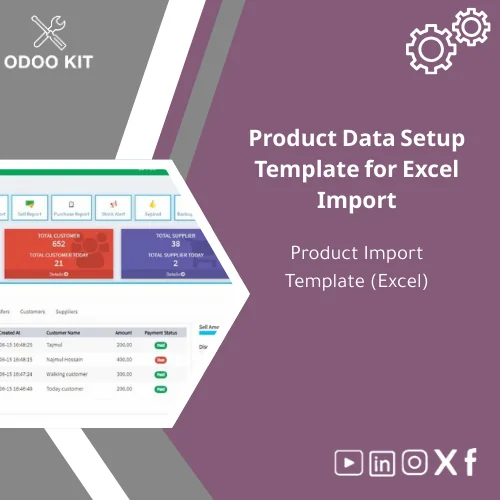
Product Data Setup Template for Excel Import
Original price was: 59.00. 49.00Current price is: 49.00.
A ready-made product data setup template in Excel that prepares your inventory and catalogue for fast, accurate import into Odoo. Built for small and medium businesses and entrepreneurs who want a low-complexity path to a clean Odoo product catalogue without developer time.
Key benefits & value for your business
The product data setup template translates technical import requirements into a practical Excel sheet you can fill and validate without coding. It reduces setup time, minimizes import errors, and keeps your product catalogue consistent across sales channels.
What you gain
- Time to live: Load hundreds of SKUs in minutes instead of days.
- Data quality: Built-in examples and validation notes reduce mismatch and duplicates.
- Cost control: Lower dependency on developers; perform imports in-house.
- Flexibility: Adapt columns to local taxes, currencies, and custom fields.
Use cases & real-life scenarios
eCommerce store launch
A boutique retailer migrating from spreadsheets uses the template to prepare product names, descriptions, categories, prices and inventory levels; imports to Odoo; and then connects the catalogue to their eCommerce front-end. The template’s sample rows and image URL guidance prevent common import failures.
Seasonal catalog update
A distributor updates seasonal prices and stock quantities across 1,200 items. Using the product data Excel sheet, they batch-update list_price and qty_available fields, then run a controlled import to apply changes without disrupting sales.
Multi-warehouse roll-out
An SMB adding a new warehouse uses the template to import location-specific stock levels and unit measures, ensuring accurate inventory valuation immediately after the import.
Who is this product for?
This product is designed for:
- Small businesses preparing their first Odoo product catalogue.
- Medium-sized companies migrating from legacy systems or marketplaces.
- Entrepreneurs and eCommerce managers who prefer a guided, low-technical process.
- Accountants and operations managers who want repeatable, auditable imports.
How to choose the right template options
Although the template is plug-and-play, select based on these criteria:
- Odoo version: Choose the matching import mapping notes (provided inside the file) for your Odoo release.
- Product complexity: Use the “Simple” sheet for basic catalogues, the “Advanced” sheet for multi-attribute products, variants, and inventory valuation fields.
- Localization: Pick the language and tax column layout that matches your country settings.
If you’re unsure, our documentation explains how to preview your import and test on a sandbox database before committing.
Quick comparison with typical alternatives
Most buyers choose between: a) manual CSV editing, b) paying a developer to prepare imports, or c) using a ready template like this one.
- Manual CSV editing: Cheap but error-prone; requires understanding of Odoo field names and formats.
- Developer-prepared imports: Reliable but expensive and slow for repeated updates.
- Product data setup template: Balanced: low cost, fast, with guidance to avoid errors and minimal technical skills required.
Best practices & tips to get maximum value
- Start with a small sample import (10–20 rows) on a staging database to validate mappings and field types.
- Use the provided example rows as templates for each product category to ensure consistency.
- Keep a master copy of your filled Excel file and export a CSV backup before importing.
- Map image URLs and supplier codes beforehand to avoid unmatched records.
- Use the integration notes to connect imported data to Power BI or Google Sheets for dashboards.
Common mistakes when importing product data — and how to avoid them
- Skipping sample imports: Always test a sample to catch field mismatches.
- Wrong unit of measure: Use the UoM column in the template and check UoM names in Odoo.
- Duplicate product creation: Use the default_code (internal reference) column to update existing items instead of creating new ones.
- Missing category mapping: Fill the category column with the exact category path expected by your Odoo instance or pre-create categories first.
Product specifications
- File format: Microsoft Excel (.xlsx) — multiple sheets (Simple, Advanced, Examples, Mapping Notes)
- Included columns: product name, default_code, barcode, description, sale price (list_price), cost, category, uom, barcode, inventory qty, vendor, image URL, attributes/variants
- Supported Odoo versions: mapping guidance for recent LTS and common releases (see included notes)
- Rows: unlimited; example dataset included (10–50 sample rows)
- Documentation: step-by-step import guide, validation checklist, and troubleshooting tips
- Integration notes: brief instructions for Power BI, Google Workspace, and Airtable connectors
- Delivery: instant digital download after purchase
- Support: optional consultative setup and mapping help (paid service)
Frequently asked questions
Is this template compatible with my Odoo version?
The template includes mapping notes for the most widely used Odoo releases. It is designed to be adaptable — field names are labelled with the Odoo fields they map to. If you need, we offer a quick pre-purchase compatibility check and an optional mapping service for specific customizations.
Can I use the template for multi-attribute products (variants)?
Yes. The Advanced sheet covers product attributes and variant setup. The sheet includes examples showing how to structure parent and child products and how variant attributes are exported for Odoo.
What if I make a mistake during import?
Always import into a test database first. If an error occurs, Odoo will provide logs; our documentation helps interpret them. We also offer paid support to help reverse or correct imports if needed.
Does the purchase include support or customization?
The purchase includes the template and documentation. For hands-on assistance (data mapping, field customization, or import execution) we offer consultancy packages billed separately. Contact us after purchase to arrange support.
Ready to prepare your product data for Odoo?
Download a practical, tested Excel template that removes the guesswork from Odoo product imports. Includes examples, mapping notes and step-by-step guidance so you can import with confidence.
Immediate download. Optional paid assistance available for import execution and custom mapping.
Related products
Change Management Plan Template for Training and Adoption

Comprehensive Risk Management Template with Risk Register

Functional Requirements Template for Project Scope Analysis
A ready-to-use, module-level Functional Requirements Template that helps small and medium-sized businesses and entrepreneurs capture, structure and validate ERP requirements quickly — without technical complexity. Use it to shorten discovery, reduce rework, and align stakeholders before implementation.




Reviews
Clear filtersThere are no reviews yet.