


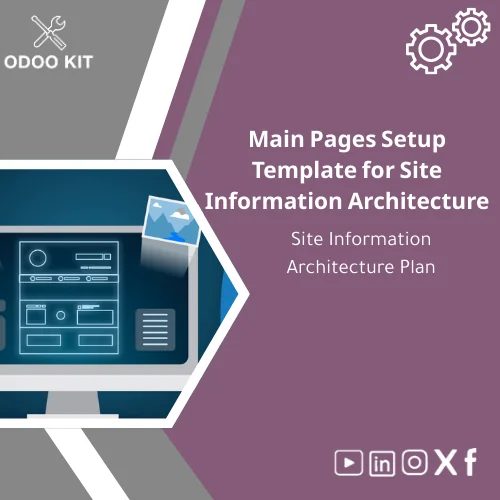
Main Pages Setup Template for Site Information Architecture
Original price was: 69.00. 49.00Current price is: 49.00.
Site Information Architecture Plan designed to map main and sub pages, menus, and content flows so small and medium businesses can launch a clear, SEO-friendly website structure quickly — without technical complexity.
Key benefits & value for your business
The Main pages setup template translates website strategy into a concrete, actionable site information architecture template. It removes ambiguity about which pages you need, how they relate, and where they map into your Odoo ERP modules (Sales, Inventory, Accounting, HR).
Below are the core buyer-centric benefits:
Save time and cost
Avoid lengthy discovery workshops. A ready-made sitemap and menu CSV reduce planning and developer hours — lowering project cost and accelerating delivery.
Reduce implementation risk
The template enforces consistent naming, SEO-friendly URLs, and logical navigation so content is easy to find for users and for Odoo-linked workflows (invoices, product pages, contact forms).
Make integrations predictable
Pre-defined page endpoints and metadata make connecting Power BI reports or Google Workspace assets straightforward — ideal when you want unified reporting and content-driven workflows.
Use cases & real-life scenarios
Concrete examples of how the template is used day-to-day:
1. Small accounting firm launching online services
Use the template to create Services, Pricing, Case Studies, Contact, and Client Portal pages mapped to Odoo’s Invoicing and CRM. Pre-built content blocks speed creation and ensure every service links to the right Odoo workflow.
2. Distributor expanding to B2B e‑commerce
The main and sub pages layout includes Category pages, Product landing pages, Trade accounts, and Wholesale pricing documentation — all mapped so catalog pages feed into Odoo Inventory and Sales orders.
3. Service marketplace preparing investor materials
Use the sitemap XML and wireframes to produce investor-facing pages (About, Team, Financials summary) while maintaining operational pages used by Odoo for reporting.
Who is this product for?
This main pages setup template targets small and medium-sized businesses and entrepreneurs who want a practical, low-complexity path to a structured website that ties directly into their Odoo ERP implementation. Typical buyers:
- SMBs implementing Odoo for the first time
- Agencies delivering Odoo-based digital projects for SMBs
- Business owners who want to standardize content and menu structure before building
How to choose the right template variant
The template comes in tiered variants. Choose based on the number of pages, complexity of integrations, and desired level of customization.
- Starter: Up to 12 pages — ideal for single-product companies and simple service firms.
- Standard: 12–35 pages — for most SMBs with multiple services, product categories and basic integrations.
- Pro: 35+ pages — includes multilingual support, advanced menu logic and custom analytics endpoints for Power BI.
If you plan to connect many Odoo modules or need custom permissions and portal pages, choose Standard or Pro and request the optional setup assistance.
Quick comparison: Template vs. building from scratch
Choosing a Main pages setup template shortens delivery time, reduces consulting hours, and delivers a predictable structure compatible with Odoo. Building from scratch gives maximum freedom but increases cost and project risk. The template strikes a balance: configurable, documented, and ready to import into Odoo with minimal developer time.
Best practices & tips to get maximum value
- Start with a simple variant: export the starter sitemap and validate with key stakeholders before expanding.
- Map each page to an Odoo object (product, invoice, employee) to ensure content supports processes.
- Use the included SEO metadata guidelines to optimize titles and descriptions during import.
- Connect Google Workspace assets early (Drive docs, shared images) to prevent broken links after launch.
- Schedule a 90-minute onboarding call with our consultants to align the template to your business rules.
Common mistakes when planning site structure and how to avoid them
Avoid these frequent errors:
- Overcomplicating navigation: Too many top-level pages confuse users. Use the template’s clear hierarchy instead.
- Ignoring Odoo mappings: Not mapping pages to Odoo objects creates integration gaps. Follow the provided menu CSV and mapping guide.
- Skipping SEO basics: Missing meta data and URL rules hurts discoverability — implement the included SEO checklist.
Product specifications
- Deliverables: Sitemap XML, Menu CSV for Odoo import, Page template wireframes (PNG), Editable sitemap (CSV/Excel), Implementation guide (PDF).
- Formats: CSV, XML, PNG, PDF — compatible with standard Odoo import tools and CMS editors.
- Estimated deployment time: Starter (1–2 business days), Standard (2–5 business days), Pro (5–10 business days) depending on customizations.
- Language: English (templates can be exported for translation/localization).
- Integrations: Guidance and examples for Power BI, Google Workspace, Airtable and common analytics setups.
- Support: 30-day email support + optional paid consulting for mapping and setup.
- Usage notes: Editable to fit company nomenclature and industry-specific pages.
FAQ
How long until I can use the template on my Odoo site?
Typical Starter deployments take a few hours to a day to import and adjust. Standard and Pro take longer only when you request heavy customization or many language variants. We provide a step-by-step import guide to make the process predictable.
Do I need an Odoo developer to use this template?
Basic imports and menu adjustments can be performed without advanced development skills. For advanced integrations (custom portal pages, complex access rules), a developer or our optional setup service is recommended.
Is the template adaptable to my industry?
Yes — the template is editable. We provide categorized page examples for services, B2B distribution, retail, and professional firms. You can rename pages and map them to your existing Odoo objects.
What support is included after purchase?
Every purchase includes a 30-day email support window and the implementation guide. Paid consulting add-ons are available for hands-on mapping and launch assistance.
Ready to standardize your site structure and speed Odoo implementation?
Get the Main pages setup template today and reduce planning time while ensuring a predictable, integration-ready website architecture.
Related products
Comprehensive Communication Plan Template for Project Management
Comprehensive Project Progress Tracking Template for Reports

Comprehensive Risk Management Template with Risk Register
Functional Requirements Template for Project Scope Analysis
A ready-to-use, module-level Functional Requirements Template that helps small and medium-sized businesses and entrepreneurs capture, structure and validate ERP requirements quickly — without technical complexity. Use it to shorten discovery, reduce rework, and align stakeholders before implementation.



Reviews
Clear filtersThere are no reviews yet.