


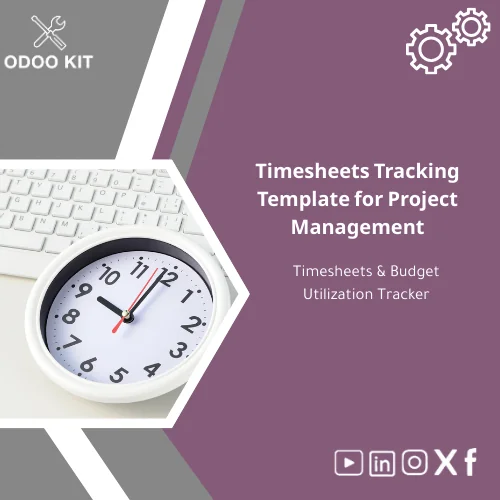
Timesheets Tracking Template for Project Management
Original price was: 139.00. 99.00Current price is: 99.00.
A ready-to-use timesheets tracking template that lets small and medium businesses record employee hours, control project budgets, and sync results with Odoo — no technical setup required.
Monitor actual hours vs. budget, generate project reports, and export to Excel or connect with Power BI for smart dashboards.
Key benefits & value for your business
This timesheets tracking template converts raw time entries into financial insights. Instead of manual spreadsheets that drift out of sync, get a structured employee timesheets tracker designed to:
- Reduce billing leakage: Automatically aggregate billable hours by project and task to prevent lost revenue.
- Control project budgets: Compare planned hours vs. actuals and get alerts when utilization approaches limits.
- Simplify payroll & invoicing: Export approved timesheets to Excel or import into Odoo invoices and payroll modules.
- Improve forecasting: Use historical project hours to build more accurate estimates and bids.
- Fast deployment: Template installs in minutes; minimal configuration and a guided onboarding document are included.
Use cases & real-life scenarios
Agency tracking multiple clients
A marketing agency uses the timesheet excel template to record consultant hours per campaign, then exports client-ready reports each month for invoicing. The budget utilization view highlights campaigns that exceed hourly estimates, so account managers can approve scope increases proactively.
Consulting firm consolidating team effort
Consultants enter daily activities in the employee timesheets tracker. Project leads run weekly summaries to reconcile internal costs with client billings and to measure project profitability immediately.
SMB integrating with Odoo
A small manufacturer integrates the template with Odoo timesheets module to push approved hours to cost centers and link labor to production orders, improving product costing without heavy custom development.
Who is this product for?
The template is crafted for small and medium-sized businesses and entrepreneurs that:
- Run projects, contracts, or client work billed by the hour.
- Need fast digital controls without hiring developers.
- Use or plan to implement Odoo ERP and want ready-made templates that plug into standard workflows.
- Require a simple export path to Excel, Google Sheets, or reporting tools like Power BI.
How to choose the right template for your team
Not every template fits every team. Follow these guidelines when selecting:
- Number of users: For fewer than 20 active employees, a single-file timesheet may suffice; for larger teams, choose the package with multi-user Odoo integration.
- Reporting needs: If you need aggregated dashboards and joins to financials, pick the version pre-configured for Odoo + Power BI.
- Billing complexity: If you bill mixed fixed-fee and time-and-materials, select templates with per-project billing flags and expense attachments.
- Export & integrations: Ensure compatible formats (XLSX, CSV, or Odoo import mapping) for your current tools.
Quick comparison with typical alternatives
Typical options are: ad-hoc spreadsheets, custom development, or full-service ERP projects. Compare key dimensions:
- Ad-hoc spreadsheets: Cheap but inconsistent, hard to scale, and error-prone.
- Custom development: Tailored but costly and slow; maintenance burden is high.
- Full ERP implementation: Powerful but requires consultants and long timelines.
- Odoo KIT Template (this product): Balanced approach — immediate deployment, integration-ready, lower cost, and supported by practical guides and optional consultancy.
Best practices & tips to get maximum value
- Define clear project codes before rollout — consistency reduces reconciliation time.
- Set daily or weekly entry policies to keep timesheets current.
- Use the budget utilization view to set alerts when projects hit 80% of planned hours.
- Train leads on approving timesheets and reconciling before invoicing.
- Connect exported data to Power BI for trend analysis and leadership dashboards.
Common mistakes when buying or using similar templates — and how to avoid them
- Buying the wrong format: Verify compatibility with Odoo and your spreadsheet tools before purchase.
- Skipping setup: Even simple templates need initial configuration (project list, tasks, rates). Follow the included setup guide.
- No change management: Without brief training, users may revert to old habits. Include a short rollout session.
- Ignoring imports/exports: Ensure your billing and payroll workflows accept exported formats to avoid duplicate data entry.
Product specifications
- Product type: Timesheets tracking template for project management and budget utilization
- Formats included: .xlsx (Excel), Google Sheets template, Odoo import-ready CSV
- Compatibility: Excel 2016+, Google Sheets, Odoo 14+ (standard modules)
- Modules/Sheets: Time entry sheet, Project budget tracker, Approval workflow sheet, Summary & export pivot
- Estimated setup time: 15–60 minutes (depending on number of projects and users)
- Integrations: Optional mappings for Power BI and Google Workspace; Odoo integration guide included
- Support: 30-day setup guidance + optional consultancy for configuration
- License: Single-company license with upgrade options for multi-company
Frequently asked questions
Can I use this timesheet excel template without Odoo?
Yes. The template works standalone in Excel or Google Sheets. It includes all tracking, summary, and export features. Odoo import mappings are optional and only required if you want to sync data with Odoo modules.
How does the template handle billable vs non-billable hours?
Each time entry includes a billable flag and a rate field. The summary pivot aggregates billable hours and calculates amounts automatically for invoice preparation.
What if our team needs customization?
Odoo KIT provides optional consultancy to adapt the template to your internal codes, currencies, or specific approval workflows. Minor customizations can usually be applied quickly.
Is there support for importing past timesheet data?
Yes. The package includes import templates and mapping instructions to bulk-load historical time entries into the tracker or into Odoo if you use the integration path.
Ready to start tracking hours and controlling project budgets?
Purchase the Timesheets Tracking Template for Project Management and deploy a consistent, low-effort timesheet process across your team. Includes setup guide, export mappings, and optional integration instructions for Odoo and reporting tools.
Need help choosing the right version or want a quick demo? Contact our support team after purchase for configuration advice tailored to your business processes.





Reviews
Clear filtersThere are no reviews yet.